
Have you ever tried laser cutting paper, only to end up with annoying burn marks marring your otherwise beautiful creation?
Well, let’s turn the tables on that little problem today. I’ll guide you on the smooth route to laser cut paper – without burning!

I get commissions for purchases made through some of the links in this post. There is no extra cost to you. See my full disclosure here.
Tips and Tricks: Avoiding Those Pesky Burn Marks
So, you want your paper to emerge unscathed from the laser’s fiery touch?
Consider swapping the laser for a drag knife! Granted, lasers do have a knack for charring the paper as they slice through it. But, hey, that’s where the wonder of air assist comes in.
This smart system cools the laser, makes cleaner cuts, and swipes away the stuff that causes scorching.
Now that’s a power play!
Dial in Those Settings: Laser Cutter Power and Speed
Here’s a tip: when laser cutting paper, go slow on the power but high on speed. Overdoing the power could be your one-way ticket to Burnville, especially with thin paper.
For basic white printer paper, try setting it at 800 mm/min on full power – trust me, your 5.5 watt LED laser will love it.
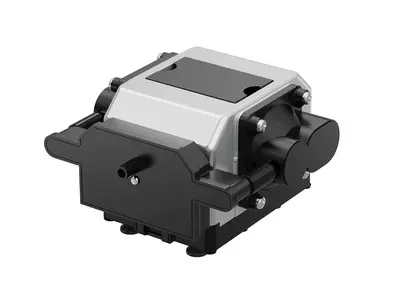
Befriend the Air Assist System
The air assist system is your secret weapon against burns when laser cutting paper.
Picture this: a strong gust of air rushing towards your laser cutting area, whisking away the heat, and preventing those unsightly scorch marks.
It’s a breath of fresh air for cleaner cuts!

Choose Your Paper Wisely
Just a heads up – not every kind of paper is compatible with the hot touch of a laser. Some papers will end up with burn marks.
So, let’s explore some papers that are cool with laser cutting:
- Cardstock: Sturdy and ready to rock intricate designs.
- Craft paper: Creative, versatile, and always up for a laser cutting party!
- Colored paper: Adds a dash of vibrant charm to your designs.
- Vellum: For that elegant, translucent touch.
- Fine art paper: Because who doesn’t love a bit of artistic texture?
- Patterned paper: For a visually appealing, intricate design vibe.
- Rice paper: Delicate, lightweight, and ethereal. Perfect for soft artistic projects.
- Glitter cardstock paper: Reflective surface for those who love to shine.


Remember to test each paper type on your laser cutter before diving into a full-blown project. And yes, tweaks to settings might be needed depending on the paper type.

The A to Z of Laser Cutting Paper: Your Step-by-Step Guide
Alright, now you’re all set to embark on your laser cutting adventure. Ready? Let’s cut to the chase!
- Design preparation: Got a fancy image or complex pattern? Turn it into a vector drawing with software like LightBurn and size it up for your paper.
- Laser cutting machine setup: Check your machine is calibrated and your settings are right for paper cutting. Put a wooden waste board underneath for safety – we don’t want any laser mischief!
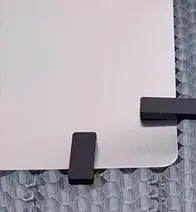
- Paper prep: Lay the paper flat on the cutting bed. Keep it steady with magnets or laser pins if needed – no jitterbugs allowed!
- Cutting time: Start the laser cutting process and watch your design come to life. Keep an eye on it though, you’re the captain of this ship!
- Unleashing the design: Once done, gently remove your cut paper from the machine’s bed. Be kind to your paper babies!
- Post-cutting cleanup: Clear up residue or debris, and make minor touch-ups with an exacto knife if needed.
Let's Laser Cut Paper: Step-by-Step Guide to Creating Awesome Designs

Grab your laser cutting machine, some cool paper, and a design or pattern you want to cut.
Materials
- 110 lb card-stock paper
Tools
- laser cutter machine
- graphic design software
- magnets (for holding the paper in place)
- containers (for collecting cut pieces)
- Amazon Alexa (optional for voice control of the laser cutter and filter)
Instructions
- Prepare your design: If you're using a fancy image or a complex pattern, convert it into a snazzy vector drawing using software like LightBurn. Make sure to resize it to fit your paper.
- Make sure your machine is all set and calibrated. Adjust the laser power and speed settings to match the paper-cutting vibe. Oh, and don't forget to place a wooden waste board or honeycomb underneath to protect the machine's bed. Safety first!
- Lay your paper flat and smooth on the cutting bed. You want it nice and tight to avoid any unexpected dance moves during cutting. If your paper needs a little extra love to stay in place, try using some handy materials like magnets or laser pins.
- Start the laser cutting process and let the magic happen. Watch as the laser follows your design, cutting out those awesome shapes or patterns on the paper. Keep an eye on it to make sure everything's going according to plan. You're the boss!
- Once the laser cutting is complete, carefully free your cut paper from the machine's bed. Treat those delicate cutouts with love and avoid any accidental paper drama.
- Clean up any leftover residue or debris if needed. If there are any minor touch-ups needed, just whip out your exacto knife and fix 'em up.
Notes
Make sure to resize your svg file to fit your paper before cutting.
Recommended Products
As an Amazon Associate and member of other affiliate programs, I earn from qualifying purchases.
-

 Meet Glowforge
 -
 NEENAH Creative Collection Classics Specialty Cardstock Starter Kit, 8.5 X 11 Inches, 72 Count Assortment (46407-02)
 -
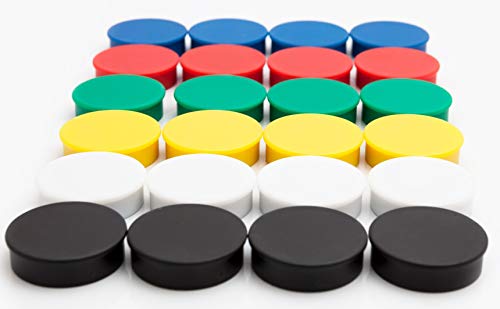 Round Fridge Magnets, Button Shaped, Small Colorful Magnetic Discs for Kitchen, Cabinet or Classroom, Perfect Whiteboard Supplies for Teachers - Bullseye Office
 -
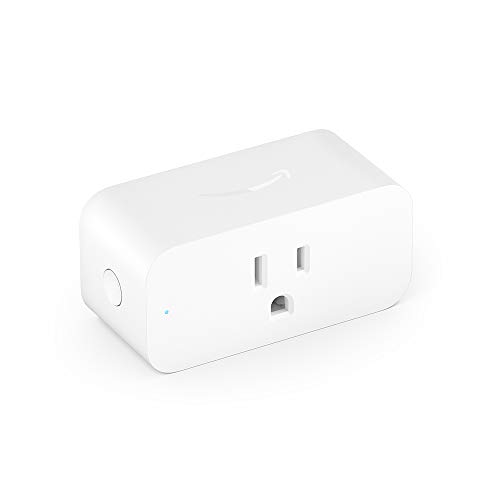 Amazon Smart Plug, for home automation, Works with Alexa - A Certified for Humans Device
 -

 Inkscape Ready Set Go! e-book
Extra Scoops: More Tips to Avoid Burn Marks
Keep your laser cutter’s mirrors and lens clean – dust or debris could lead to scorch marks. Also, properly securing the paper with magnets or laser pins during cutting can reduce the chances of burns or uneven cuts.

Wrapping Up
Laser cutting paper is fun, and it gets better when you can avoid those pesky burn marks. So remember, follow your machine’s guidelines, take safety seriously, and let your creativity flow!
Want some creative ideas to get started? Check out these fun laser engraving projects for all kinds of materials.
FAQ for Laser Cutting Paper
Easy peasy! Just use magnets or pins to hold down the paper on the laser bed.
Better to stick to one sheet at a time. Cutting through multiple sheets might lead to burns on the lower ones.
Hook up your laser cutter to a smoke filter system. It’ll keep your space smoke-free!
