
Resource page

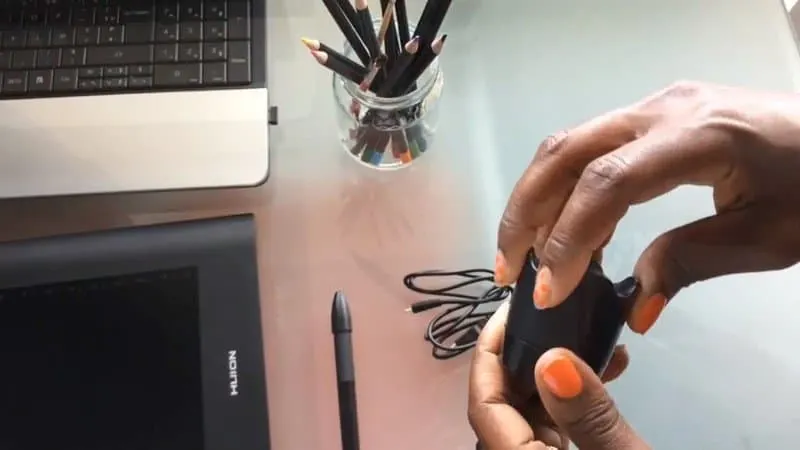
Here I am setting up and my graphic tablet and pen tool to make some illustrations.
I’ve had it for years and it still works great.
Whether you have been crafting and designing for a while or are just getting started, you’ll find the products, tools, and companies that I use and or know are valuable to do your best work.
I created this resource page so that you can quickly find great products and services all in one place.
You can save money and time on your craft and design projects all from one page!
The products and resources listed here are all products I either use personally or I can’t wait to use.
SVG Course Resources
I use the Huion H610 Pro Graphic Drawing Tablet 8192 to draw all of my illustrations and svg files.
It’s easy to install and Pen Pressure Sensitivity is helpful for making thinner or thicker lines.


This tablet is no longer available but you can get the newer version, Huion HS610 Graphic Drawing Tablet easily from Amazon.
You can use your mouse in the beginning but upgrade to a tablet if you want to continue making svgs.

Inkscape is the software I use to design svg files.
It’s a professional vector graphics editor for Windows, Mac OS X and Linux.
It’s free and open source.
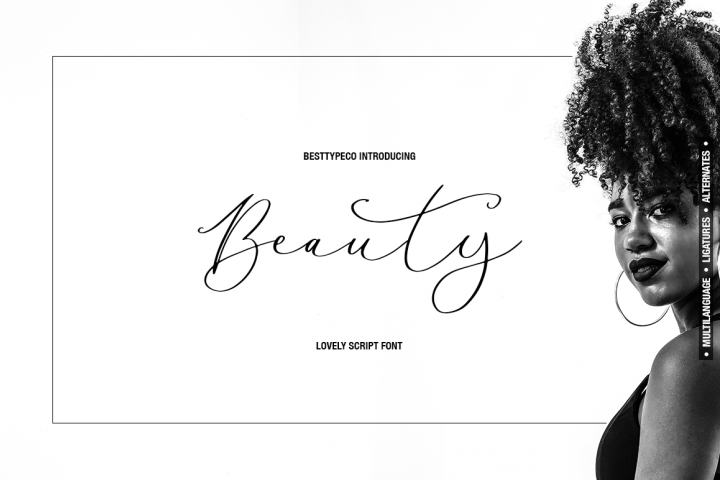
I use this pretty font file as a base to create an svg file. You can download a free script font file from here on Design Bundles and follow along in the course.


Craft and design resources


Cricut: Whether you’re new to crafting or an experienced maker, Cricut smart cutting machines and apps give you the freedom to make DIY magic happen anywhere, any day.
They have a huge library of tutorials, files and supplies for any design and cutting project.



Dollar Tree: Dollar Tree is a great place to find simple affordable craft supplies.
The online store has a huge selection and offers quick shipping.
You can even find Cricut or Silhouette or other cutting machine supplies there.
Font Bundles: If you are looking for high-quality premium and free fonts, Font Bundles offer savings of up to 96% off fonts on a regular basis.
If you subscribe to their mailing list you will receive a free font every week. Font Bundles also have tutorials on how to use fonts and SVG files in their Design School.
Expressions Vinyl: I’ve heard great things about Expressions Vinyl in the Facebook craft groups that I’m a part of.
You can get really affordable craft vinyl sheets and rolls for Silhouette, Cricut and other craft cutters.
Plus tons of video turtorials and even charts to help you set up your cut machine settings.
Blog and shop resources
Etsy: Etsy is where I host my online shops. They make it really easy to open your shop and start selling.
For 20 cents, you can list a product on Etsy and the best part is that you don’t have to pay until it sells or at the end of the fourth month, whichever comes first.
Canva: I use Canva to create my shop listing pictures and my Pinterest pictures.
It saves me time by using the stock photos, audio, and videos. Canva also has cool effects and a variety of fonts.
It’s free to use but if you upgrade to the Pro level, you can schedule your Pinterest pins and post to Facebook and Instagram right from Canva!
It allows me to grow my blog and Etsy shop with minimal effort.
BirdSend: BirdSend is a great way to start and grow an email list for your Etsy shop or your blog.
Since Etsy does not allow shop owners to collect client email addresses, this is a way for customers of your shop and readers of your blog to subscribe and receive your blog posts and newsletters.
You can start using BirdSend.
Wise: Wise is one of my favorite ways to get money transferred from one currency to another.
Since I live in France and work with mostly U.S. companies, I need to transfer the dollars to euros.
Wise has low transaction fees and works for any currency that you can think of. You can start using Wise.
Weebly: I like the Weebly website builder for the ease of use.
(update: I now use WordPress but if you are not ready to learn how to use WordPress then I would recommend using Weebly to get started. You can get everything you need for your website.
I know there are several options available but Weebly puts everything I need for my blog in one place without having to bother with adding extra code.
My favorite feature is the hide app. This lets you hide pinnable Pinterest images in your blog posts.
Awin is the affiliate program that I used to join the Etsy affiliate program.
They have over a 90% acceptance rate and hundreds of programs that you can apply to become an affiliate. I love the easy to use tools.



SO QUICK SVG COURSE
STEP BY STEP VIDEO COURSE FOR CRAFTERS
Create and design your first svg to use in your crafts or even sell.
Learn to make an SVG with Google in one click!
Want more resources?
If you need technical help, check out my tips on how to easily upload svg files to Cricut Design Space.
Looking for inspiration? I have a lot of ideas for craft projects for you to try.
