
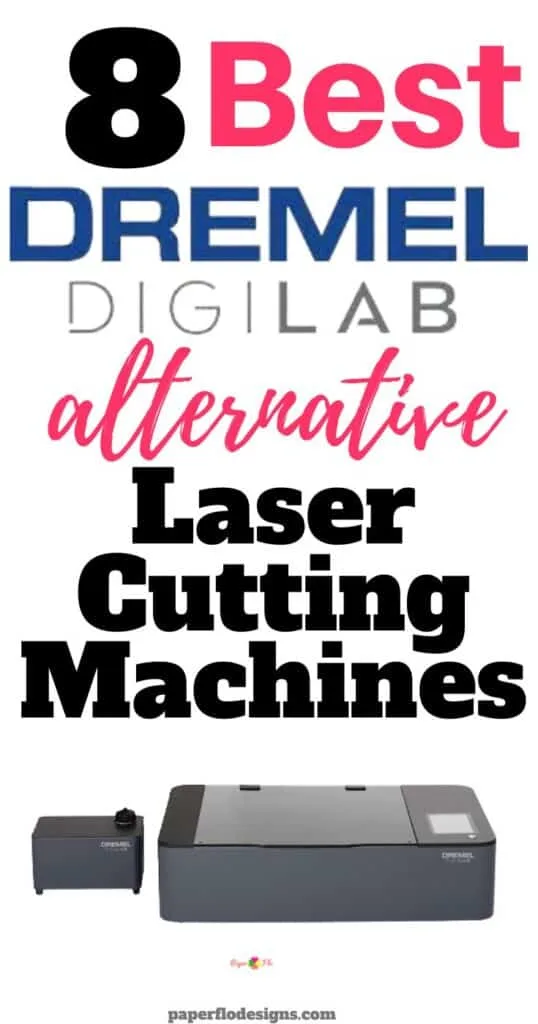
With the discontinuation of the popular Dremel Digilab LC40, many DIY enthusiasts and small business owners are on the lookout for alternative laser cutting machines that can deliver the same high-quality results.
That’s why I’ve compiled a list of the 8 best Dremel Digilab alternative laser cutting machines on the market today. From the xTool P2 to the LaserPecker 2, these machines offer a wide range of features and capabilities to suit your needs.
Whether you’re a seasoned DIY crafter or a beginner, these laser cutting machines will help you unleash your creativity and take your projects to the next level.
So, let’s dive in and explore the top machines that you won’t want to miss!
No time to read the whole post? Here are my top 3 choices

I get commissions for purchases made through some of the links in this post. There is no extra cost to you. See my full disclosure here.
Who manufactures Dremel Digilab?
The Dremel company is the original and official maker of the Dremel laser cutter. They’ve been developing machines for over 85 years.
The most popular is the Digilab LC40. It features a simple printing process: place the material, select its settings, and print. It comes with easy-to-use software and is perfect for cutting, scoring, and engraving a variety of hard and soft materials.
Here are a few of the materials that you can use with it:
- wood
- glass
- stone
- paper
- fabric
- leather
But the sad news is that it’s been discontinued. Yup, gone for good.
Dremel Competitors
With all that Dremel had going for it, you can understand why it was so popular among hobby crafters.
But now that it’s no longer available, what’s the next best option?
So what if I told you there was another way to make beautiful laser cut designs? Well, there is. In fact, there are alternative machines that you’ve probably never heard of.
There are several different kinds of laser cutting machines available today. You can buy them online or at local retailers. One of the most popular models is the xTool.
But it’s not the only player in the game.
Many of its competitors see just how popular it has become and they are now offering other options that can do just as much if not more.
In this post, I’ll cover the best Dremel alternatives. I’ll break down the ease of use of each laser cutter, the price range, and the safety features.
What lasers are similar to Dremel?
The following laser cutting machines are similar to Dremel.
1. xTool P2
⚙️What does the xTool do?
xTool P2 is a diode DIY laser engraving and cutting machine. It’s just as good or better than Dremel because you can also get a rotary engraving, high object engraving and a super wide passthrough.
The P2 is the latest machine in the series of xTool desktop laser cutters.
It’s a powerful laser machine that can cut through a wide range of materials like
- transparent acrylic
- glass
- rubber
- wood.
This is thanks to the higher absorption efficiency of CO2 laser technology, which sets it apart from diode laser (wavelength 455nm).
What’s more, the passthrough feature allows you to engrave on long materials with a maximum thickness of 1.1 inches, and the machine’s compatibility with RA2 Pro enables you to engrave on tumblers, mugs, spheres, and rings with a maximum height of 2.7 inches. You can even engrave on higher objects by using the riser base, giving you the flexibility to create larger pieces.
But xTool P2’s features don’t stop there. The machine comes equipped with an AI camera featuring a long-range camera and a close-range camera, both with 16MP effective pixels and a vision precision of 0.3mm. This means you can capture even the smallest details of your design.
In addition, xTool P2 has a
- water-cooling system capacity of 1.4L
- adjustable air assist ranging from 15-150 Kpa
- exhaust fan with 145 CFM.
The machine is also easy to connect to via Wi-Fi, USB, or Ethernet, and is compatible with operating systems such as Windows, macOS, and iPadOS.
With xTool Creative Space and LightBurn control software, importing your designs in SVG, DXF, JPG, JPEG, PNG, or BMP format is a breeze. And with a processing precision of 0.01mm, you can expect nothing but high-quality results every time.
Overall, xTool P2 is an excellent investment and the perfect tool for unleashing your inner artist.
Pros:
Versatility: With its powerful 55W CO2 laser tube, xTool P2 can cut through a wide range of materials with ease, including transparent acrylic, glass, rubber, and wood. This makes it the perfect tool for hobbyists, entrepreneurs, and DIY enthusiasts alike.
Passthrough feature: The passthrough feature allows you to engrave on long materials with a maximum thickness of 1.1 inches, giving you the flexibility to create larger pieces.
Compatibility with RA2 Pro: xTool P2 is compatible with RA2 Pro, enabling you to engrave on tumblers, mugs, spheres, and rings with a maximum height of 2.7 inches.
AI camera: The machine comes equipped with an AI camera featuring a long-range camera and a close-range camera, both with 16MP effective pixels and a vision precision of 0.3mm. This feature enables you to capture even the smallest details of your design.
Water-cooling system: xTool P2 has a water-cooling system capacity of 1.4L, an adjustable air assist ranging from 15-150 Kpa, and an exhaust fan with 145 CFM. This ensures the machine stays cool and runs smoothly.
Cons:
Price: xTool P2 is a high-quality machine with a wide range of features, but this comes at a cost. It may not be the best option for those on a tight budget.
Size: With a product size of 39.4″×25.1″×10.6″ (1000×639×268mm) and a product weight of 45KG, xTool P2 is a relatively large machine. This may make it difficult to move or store in smaller spaces.
Noise: As with any laser cutter, xTool P2 can be quite noisy during operation. If you plan to use it in a shared space, you may need to take this into consideration.


2. M1 Desktop Laser
🤔 Is xTool M1 as good as Dremel?
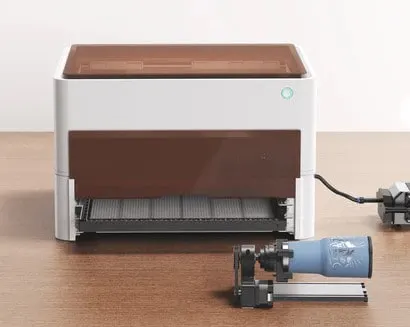
Both the xTool M1 Desktop Laser and Blade Cutting Machine and the Dremel Digilab Laser Cutter are great options for those looking to get started with laser cutting and engraving. However, there are some key differences between the two that may make one a better fit for your needs than the other.
One of the biggest advantages of the xTool M1 is that it is a hybrid machine, which means it can both laser engrave and blade cut. This opens up a wide range of possibilities for materials you can work with, giving you more flexibility to create a variety of projects. The xTool M1 also boasts a very impressive motion accuracy of 0.01mm, which means you can expect highly precise cuts and engravings.
On the other hand, the Dremel Digilab Laser Cutter is known for its user-friendly interface and intuitive software. With the Dremel LC40 software, you can easily design and engrave your projects using a variety of design software options. Additionally, the Dremel Digilab Laser Cutter is designed to work seamlessly with a variety of materials, from leather and paper to wood and acrylic.
When it comes to size and weight, the xTool M1 is slightly heavier than the Dremel Digilab Laser Cutter, weighing in at 9.8kg compared to the Dremel’s 16kg. However, both machines are compact and easy to store, with the xTool M1 measuring 557 x 453 x 230 mm (22 x 18 x 9 inches) and the Dremel measuring 810 x 610 x 430 mm (32 x 24 x 17 inches).
Ultimately, the choice between the xTool M1 Desktop Laser and Blade Cutting Machine and the Dremel Digilab Laser Cutter will come down to your specific needs and preferences. If you’re looking for a machine that can handle a wide range of materials and tasks, the xTool M1 may be the better option.
Pros:
Versatile: The xTool M1 is a hybrid machine that can both laser engrave and blade cut a wide range of materials, making it ideal for those looking for a machine with a lot of flexibility.
High precision: With a motion accuracy of 0.01mm, you can expect highly precise cuts and engravings.
Cons:
Heavier: Weighing in at 9.8kg, the xTool M1 is slightly heavier than some other comparable desktop laser cutters.
Less user-friendly: While the xTool M1 is a powerful and versatile machine, it may require a bit more technical know-how to operate than some other desktop laser cutters.

3. LaserPecker 2
Laserpecker 2 is a good cheap laser engraver and is one of the best choices if you’re on a budget. Don’t be fooled by the price tag. In this case, cheap doesn’t mean low quality.
⛏️ What can you engrave with LaserPecker?
The LaserPecker 2 can engrave the following items
- Plastics
- Timber
- Glass
The LaserPecker app lets you engrave pictures onto cups, glasses, bags, cutting boards and more. Using the app, you can engrave photos in 4 easy steps.
- Choose an image from the app
- Edit your image
- Select engrave
- Engraving will start automatically


4. Muse 3D laser cutter
The 3D camera features set the FSL Muse 3D Autofocus Desktop CO2 Laser Cutter machine apart from the rest. You’ll be impressed by the RetinaEngrave v3.0 laser control and design software. The integrated software means that you don’t need an internet connection to use the laser machine. And you’ll be happy to know that it’s compatible with Google Chrome, Safari, Edge and Firefox
Muse desktop laser features:
- autofocus
- LCD touchscreen functions
- self-hosted browser based software
Pros: no internet required
Cons: Rotary attachment is not included – (you’ll have to buy this separately if you want to engrave cups)


5. OMTech 55W
Price Point
The OMTech 55W offers numerous advantages in comparison to the Dremel. For starters, the price point is lower, making it more affordable.
Cutting thickness
You can cut thicker materials with this machine. The maximum cutting thickness is 0.63” whereas the maximum for the Dremel is 0.25″.
Pros: The lower cost means that you’ll have money saved for other supplies
Cons: Does not include LightBurn Software


6. ORTUR Laser Master 2 ProS2-SF Laser Engraver
Wide Compatibility
Ortur laser master 2ProS2 laser engraver can be compatible with various mature engraving software, such as LaserGRBL, LightBurn, support Win XP / Win 7 / Win 8 / Win 10, and also support MAc and Linux system (LightBurn, need the paid version).
Engraving file format supports
- JPG
- PNG
- BMP
- JPEG
- SVG
Pros: The laser can use Lightburn which is amazing.
Cons: You’ll need to buy additional rollers if you want to engrave cups or cylindrical items.


7. ATOM STACK A5
A very complete and well thought-out package. It’s easy to assemble and you’ll be able to use it very quickly. Make sure you read everything and research how to properly use diode lasers.
Pros: LaserGRBL is simple enough to figure out And it accepts a large variety of images, from svg to jpg.
Cons: There is a lot of terminology to learn.


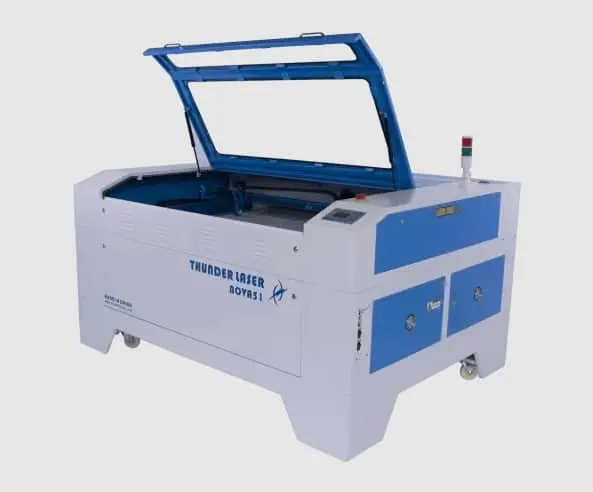
8. Thunder Laser Nova 51
Thunder Laser Nova is not only Dremel’s competitor when it comes to performance but also when it comes to customer support.
⚡ Are Thunder lasers good?
This co2 laser engraving system is known for its outstanding customer service. When you’re spending that kind of money on a machine you want the peace and comfort that comes with knowing that someone reliable and competent is always on hand to help you out in case of any questions or hiccups.
Pros: Highly rated for its customer service
Cons: Lesser known

Want to save this for later?
Feel free to save this post to your favorite DIY board on Pinterest!
Get Creative with the Best Laser Cutting Machines to Replace Your Dremel
While the Dremel Digilab LC40 was a popular option, it has unfortunately been discontinued. But don’t worry, there are plenty of other laser cutting machines available that can do just as much if not more.
One great option is the xTool P2. With a powerful CO2 laser tube, passthrough feature, and compatibility with RA2 Pro, this machine is perfect for cutting, engraving, and scoring a variety of materials. Plus, the AI camera allows for precise detailing and the easy-to-use software makes designing a breeze.
If you’re looking for a hybrid machine, the xTool M1 Desktop Laser and Blade Cutting Machine is a great choice. This machine can both laser engrave and blade cut, providing even more flexibility in what you can create. While it may require a bit more technical know-how to operate, the high precision and versatility make it well worth the investment.
For those on a budget, the LaserPecker 2 is a fantastic option. It can engrave on plastics, timber, and glass, and the app allows for easy photo engraving on a variety of objects.
These are just a few of the many great options available. The best machine for you will depend on your specific needs and preferences. Whether you’re a hobbyist, entrepreneur, or stay-at-home mom looking to start a business, there’s a laser cutting machine out there that will fit your needs.
So don’t wait any longer. Pick the machine that’s right for you and start creating beautiful designs today!
