
Cricut Joy Won’t Connect to Computer? Here’s How To Fix It!
Cricut Joy was working just fine on your computer until bam! All of a sudden it can’t connect.
It can be frustrating when all you want to do is turn on your cutting machine and get to making something awesome.
The last thing you want to do is to be spending an hour staring at your screen, waiting for your turn to get help from customer service.
Here are some troubleshooting tips to get you back up and running and connected in no time.


What You Need To Get Started
First of all, make sure that your computer has Bluetooth capability. Meaning that it can pair with devices via Bluetooth.
With the Cricut Joy machines, you need a Bluetooth-enabled Windows or Mac computer and an internet connection.
Almost all recent computers are Bluetooth enabled; but if you have an older model computer that doesn’t have this option, you’ll need to buy a Bluetooth Dongle.


I get commissions for purchases made through some of the links in this post. There is no extra cost to you. See my full disclosure here.

Troubleshooting Tips for Connection Issues
Distance
Make sure that your Cricut Joy and your computer are near each other. In other words, if they are too far apart, you may have trouble connecting them. The recommended range is 10 to 15 feet.
Is Your Bluetooth Activated?
This may sound silly, but you may have forgotten to turn on your Bluetooth setting on your computer.
Double-check that it’s activated by going to your computer settings and seeing if the toggle is on for Bluetooth in your device’s menu.


Other Bluetooth Devices
Check for nearby Bluetooth device connections. Since connections to Cricut Joy are made by pairing via Bluetooth, it’s possible that another device has connected to your cutting machine and is causing interference.

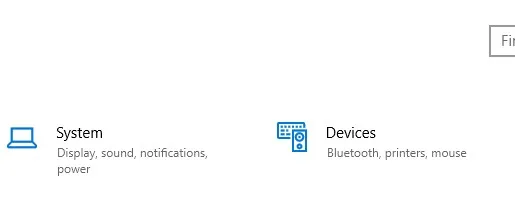
Go to the Bluetooth & Devices menu, and check to see if there are other Bluetooth devices on.
Try turning off these devices and then reconnecting to Cricut Joy.
Check for Software Updates
The problem could be that there has been a recent update to Cricut Design Space and you are still using the old version.
Check for updates in Design Space. If you see that there has been a recent update, restart your computer.
Remove & Reboot
You may need to reinstall Cricut Joy to the list of Bluetooth devices on your computer to get it to find it and connect again. Here’s how to do it in seven simple steps.
How to Fix Cricut Joy Connection - Reinstall to Bluetooth
Cricut Joy isn't connecting to your desktop computer? Are you getting an error message? You may need to reset the Bluetooth connection. Here’s how to do it in seven simple steps.
Materials
- Microsoft Windows Software
Tools
- Cricut Joy
- Computer
Instructions
- Go to Bluetooth devices menu in your computer settings
- Find and Select Cricut Joy from the list of connected devices
- Remove Cricut Joy
- Go back to the main Bluetooth devices menu
- Select “Add Bluetooth or other device”
- A pop-up menu will show, Select “Bluetooth” from this pop-up menu
- Select Cricut Joy from the new window and wait for it to connect
Why Is My Computer Not Finding My Cricut Joy?
As you can see, there are a lot of reasons why your computer can’t connect to your Cricut Joy.
I know that it can be seriously annoying to deal with Cricut tech problems, but you don’t have to be techy to fix some of these issues.
Try each one of the methods above to get it to connect again. Let me know which one worked for you or if you have other Cricut tips that you use.
Do you have a diffrent type of Cricut machine that you need to set up? See this post for how to connect Cricut to your computer via USB.

Sharon Casciole
Monday 19th of February 2024
My Joy Xtra connects to bluetooth for about 3 seconds before disconnecting. Why? So frustrating!!!!
Naa Ardua
Monday 19th of February 2024
Did you check disconnecting other devices?
Jswift
Sunday 10th of December 2023
After trying all the above, and nothing worked, I noticed on my old laptop under "Bluetooth devices discovery" that "Advanced" needed to be on. It would not pickup my Joy under default. After 4+ hours, it's up and running again.
danie
Wednesday 24th of January 2024
@Judi Bishop,
Judi Bishop
Sunday 21st of January 2024
@Mike, my computer finally recognizes the Cricut Joy but still won't connect via Bluetooth - it is now set to Advanced but only shows the device name as not connected! Help. Judi
Mike
Friday 29th of December 2023
@Jswift, Thanks for this, now one happy wife :)
Naa Ardua
Monday 11th of December 2023
Thanks for the tip Jamie😉
Alex
Thursday 26th of October 2023
No matter what I do the joy will not connect. Bluetooth doesn't see it after I removed it to try and reconnect. It's just gone now I have a $150 brick for my desk.... such a piece of crap.
Naa Ardua
Thursday 26th of October 2023
Sorry to hear that it's not working. Did you check to see if another device is hooked up to the Bluetooth. Try turning off everything that's hooked up via Bluetooth and then reconnecting the Joy.
Dorothy Littlepage
Monday 23rd of January 2023
I have a new Cricut Joy machine, it does not load when you put mat in, does not move or respond also it won't take commands or cut. What can I do short of sending it back?