
If you’re wondering whether sublimation works on black shirts, the answer is yes, it’s possible. However, the design won’t be visible due to the dark color.
But don’t worry, there is a work around to sublimate on black shirts using sublimation vinyl and glitter HTV in combination with Cricut Design Space.
No time to read the whole post? Scroll down to see the Youtube video.


I get commissions for purchases made through some of the links in this post. There is no extra cost to you. See my full disclosure here.
Tips to Successfully Sublimate on Black Shirts
Here are some tips to help you easily do sublimation on dark colored shirts.
Use the “Print and Cut” Method within Cricut Design Space
When sublimating on black shirts, it’s important to use the “Print and Cut” method within Cricut Design Space. This will allow you to print your design onto sublimation paper using an inkjet printer and then cut out the design using a Cricut cutting machine.
By doing this, you can ensure that the design is the right size and shape for your shirt.
Ensure Proper Alignment
One of the keys to success when sublimating on black shirts is the proper alignment of the design onto the shirt. This means taking the time to make sure that the design is centered and straight on the shirt before pressing it.
You can use a ruler or measuring tape to help with this, or you can use the alignment tools within Cricut Design Space.
Mirror the Sublimation Design
Another important tip for success when sublimating on black shirts is to mirror the sublimation design before printing. This will ensure that the design is cut out correctly by the Cricut cutting machine.
By mirroring the design, you’ll be able to ensure that any text or other elements in the design are facing the right way on the shirt.
Use the Contour Tool to Remove Excess Pieces
When cutting out your sublimation design using a Cricut cutting machine, there may be excess pieces of material that you don’t want to transfer onto the shirt.
In this case, you can use the Contour tool within Cricut Design Space to remove those excess pieces. This will help to ensure that the final design looks clean and professional.
Use Special Sublimation Products
If you’re looking to sublimate on darker colors like black, it’s important to use special sublimation products like Siser EasySubli and glitter HTV. These products are designed specifically for use on dark clothes and will help to ensure that the design is visible on the shirt.
Preheat the Shirt
Before pressing the sublimation design onto the shirt, it’s a good idea to preheat the shirt. This will help to remove any moisture from the fabric and ensure that the final design looks smooth and professional. You can use a heat press or iron for this step.
Protect and Secure the Sublimation Design
When pressing the sublimation design onto the shirt, it’s important to cover the design with a protective layer of parchment paper. This will help to protect the design and ensure that it transfers onto the shirt properly. You should also secure the parchment paper in place with heat tape.

Check Temperature of the Heat Press
To ensure the best results when sublimating on black color shirts, you’ll need to press the design onto the shirt at the right temperature and for the recommended time.
This will vary depending on the type of fabric you’re using and the specific sublimation products you’re using.
In general, you’ll want to use a heat press temperature suggested by the manufacturer and press using enough pressure. Not too light and not too heavy.
Use High Quality Sublimation Products
Finally, if you want the best results when sublimating on black shirts, it’s important to use the highest quality sublimation products.
This includes everything from the dye-sublimation printer and ink to the sublimation paper and transfer paper.
By using the best materials, you can ensure that your sublimation prints look great and have excellent dye retention.
Using these tips and techniques, you can successfully sublimate on black shirts and create beautiful, professional-looking designs.
Sublimation on synthetic fibers like polyester and nylon is generally easier than on natural fibers like cotton, and using special sublimation products designed for use on dark colors can make the process even smoother.
It’s also important to take the time to properly align the design onto the shirt and to use the right temperature and timing when pressing the design onto the shirt.
By following these tips and using the highest quality sublimation products, you can ensure that your sublimation prints come out looking their best.
One thing to keep in mind is that sublimation is just one printing process available today. Other popular printing methods include screen printing and digital printing.
Each method has its own advantages and disadvantages, so it’s important to choose the one that best fits your needs and preferences.
Tools and Supplies
To do sublimation on black shirts, you’ll need the following materials:
- Black shirt
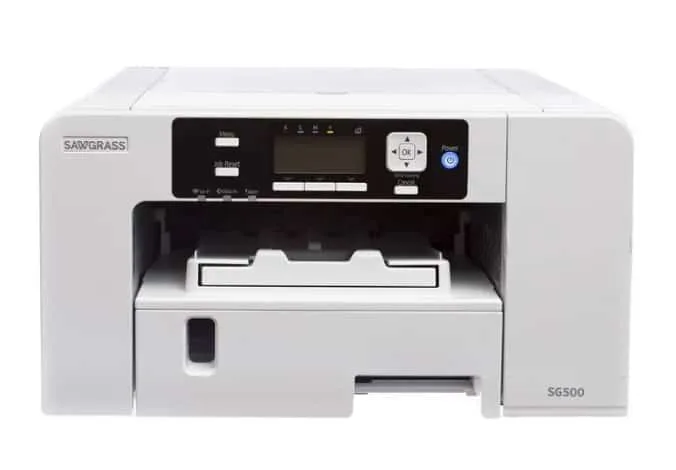
- Sublimation printer
- White Glitter HTV
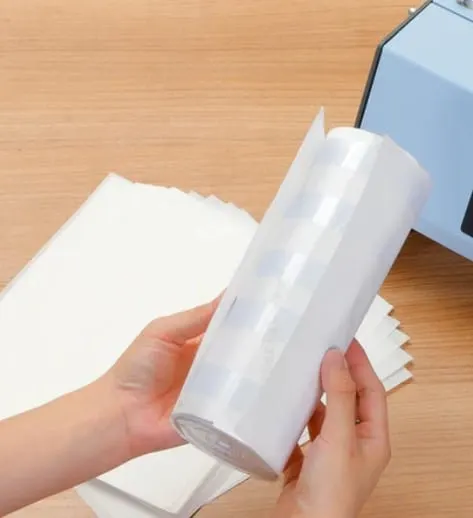
- Sublimation paper
- Siser EasySubli HTV
- Cricut cutting machine
- Parchment paper (or butcher paper)
- Heat tape
- lint roller
- Heat press

Step-by-Step Guide
Here’s a step-by-step guide to sublimating on black t-shirts:
- Download a t-shirt sublimation image from an online marketplace or draw your own.
- Upload the design to Cricut Design Space.
- Choose the “Print and Cut” option for the design.
- Next step, print the design onto sublimation paper using a sublimation printer.
- Cut out the printed design using a Cricut cutting machine.
- Weed out the excess material from the printed image.
- Preheat the black shirt to remove any moisture and smooth it out.
- Place the design on the shirt, making sure to align it properly.
- Cover the design with a protective layer of parchment paper and secure it with heat tape.
- Press the design onto the shirt with a heat press at 385°F for 60 seconds.
- Remove the heat tape and parchment paper.
- The final step is to peel off the sublimation paper to reveal the design on the black shirt.
Key Takeaways
Here are a few tips to ensure the best results:
- The Cricut “Print and Cut” method is the best option for sublimating on dark shirts.
- Ensure proper alignment when sublimating the design onto the shirt.
- Mirror the sublimation design before printing to ensure proper cutting.
- Use the Contour tool on a basic cut to remove excess pieces.
Conclusion
While sublimating on black shirts may seem like a challenge, it’s possible with the right tools and techniques.
Using sublimation vinyl and white glitter HTV in combination with your Cricut machine, you can create beautiful sublimation prints on black shirts.
Remember to use the “Print and Cut” method within Cricut Design Space and ensure proper alignment when sublimating the design onto the shirt.
You can also mirror the sublimation design before printing to ensure proper cutting and use the Contour tool to remove excess pieces.
Sublimation works best on synthetic fibers such as polyester and nylon, so it’s not recommended to use on natural fibers like cotton.
Bleaching a black shirt is also not recommended, as the bleaching process may damage the fabric.
Sublimation on black shirts is possible, but it requires the right tools, techniques, and knowledge.
By using the tips and advice outlined in this article, you can create beautiful sublimation prints on black shirts that look great and have excellent dye retention.
Whether you’re working with nylon fabrics, polyester shirts, or other synthetic polymers, sublimation can be a great option for your next printing project.

Frequently Asked Questions
Can you print black with sublimation ink?
Sublimation ink cannot print black. Instead, it prints a deep, rich brown.
What color shirts can I sublimate on?
Sublimation works best on white or light-colored shirts, but it is possible to sublimate on darker colors with the use of special sublimation products.
How do you bleach a black shirt for sublimation?
Bleaching a black shirt is not recommended as it may damage the fabric. Instead, use Siser EasySubli and glitter HTV for sublimation on black shirts.
Does sublimation work on all colors?
Sublimation works best on white or light-colored shirts. Darker colors require special sublimation products.
Can you sublimate 60% cotton 40% polyester?
No, sublimation only works on synthetic fibers such as polyester and nylon.
Why is my black sublimation coming out brown?
Sublimation ink cannot print black, so it prints a deep, rich brown.
Why is my black sublimation turning green?
This may be caused by using the wrong type of transfer paper or printing at too high of a temperature.
Why is my black sublimation ink not working?
There are several possible reasons why your black sublimation ink may not be working, including improper temperature, humidity, or pressure during the sublimation process. It’s important to ensure that all of these factors are optimal for the best results.

Kayla Rutherford
Tuesday 2nd of January 2024
I'm reading the steps, when does the white glitter HTV come into play?
Kristie
Wednesday 31st of January 2024
@Kayla Rutherford, I'm so glad I wasn't the only one who was confused about the white glitter HTV. I was wondering if I was missing something or loosing my mind. Lol!