
Here’s How to Unweld in Cricut in 6 Easy Steps
If you are looking to make and use svg files then you need to know how to unweld in Cricut.
This is especially important if you are using multi layer files with different colors and you want to group certain elements.
In this blog post I’ll cover what it means to unweld, what kind of files you can unweld, and the steps to do it.


Tools and Optional Supplies
Before we get started, here’s what you’ll need.
Tools:
- Cricut Design Space
- Layered svg file (Cricut Access has several)
Optional Supplies:
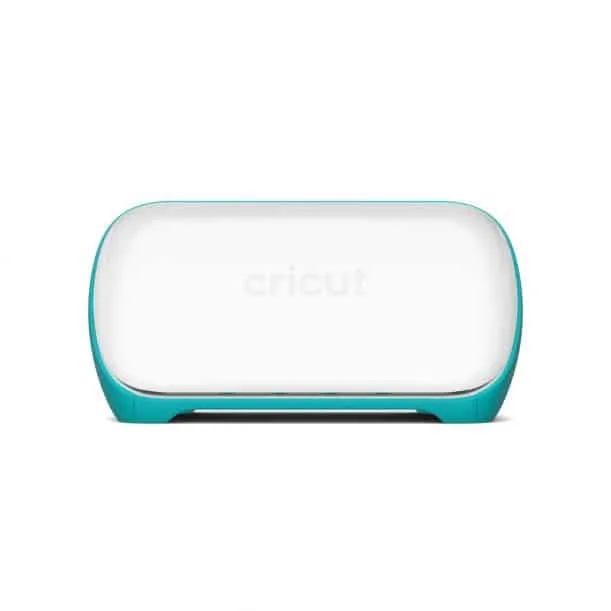
Cricut machine (Cricut Maker or Cricut Joy)
- cutting mat
- hard drive

I get commissions for purchases made through some of the links in this post. There is no extra cost to you. See my full disclosure here.
What does it mean to unweld in Cricut Design space?
Unwelding allows you to separate shapes and letters of a cut file.
You may be wondering “Why would I even weld a file in the first place?”
Well, the Weld tool is a way that you can take multi layered designs and merge them into a single image.
Once you select parts and click on the weld button, it will remove any overlapping cut lines.
This can be a great way to manage the letter spacing of a design and turn it into a single shape.
Let’s say that you have a quote written in pretty cursive or script font as part of your design.
You can keep the individual letters of the word connected by using the weld function. That way, you’ll have one cut for the word on a single layer instead of each of the cursive letters. This will work with any cursive font.


Is there a way to Unweld Cricut?
“Ahh, this file doesn’t work! I’m never gonna figure this out!” That might be what’s going through your head as you stare at the cut file on the screen.
It’s time to get un-stuck and learn how to use your file
Rest assured that there is a way to unweld Cricut files. You don’t need to run to the nearest facebook group for 50 million answers either.
How do I unweld or ungroup in Cricut?
Here’s how to unweld or ungroup a design in Cricut. These instructions are for version 7.16.117 of Cricut Design Space.
- Start by clicking on the welded part of the design in Cricut Design Space
- To get the unweld function, click on the undo button on the left side of the top menu bar This will work for a single image or separate images.
- Another way to unweld is to use the layers menu.
- Go to the Layers Menu and select the welded part.
- Click on the undo button (it looks like a curved arrow facing left).
- This isn’t the only way either. You can use the keyboard shortcut, Ctrl + Z, too. Choose the one that you think is the best way for you.
How do you unweld on design space after saving?
For now, there’s no way to unweld a welded image that you’ve saved on Design Space.
How do you break apart an image on Cricut?
Use the ungroup function to break apart an image on Cricut. If you are working with different layers, you may need to break apart the image before welding.
If you want to put it back into one image then you can use the attach tool or the Cricut weld tool. Both tools can be found at the bottom of the layers panel.
It’s also where you’ll find the contour tool, the flatten, and the slice tool.


Want to save this for later? Pin it to your favorite Cricut board on Pinterest!
You never know when you may need this tip again so feel free to save it to your Cricut Tips board on Pinterest for later.
Conclusion
The weld option is a useful tool. It’s the short answer to the question of how to group individual objects into a single piece.
But if you change your mind, the unweld button (which is the undo button) can take your design back to different shapes.
More creative craft ideas!
If you loved this tip, you’ll love my other easy Cricut hacks like how to ungroup svg files and how to unzip zip files.


