
In today’s world, everyone wants to look unique and special. So, if you are also interested in creating your own customized jewelry designs, then you should definitely start learning about it right now!
Customized jewelry has become very popular among people all over the world. It allows you to create something to remember a special date or celebrate a milestone.
It’s a simple way to create unique wearable art. This is why many people choose this type of jewelry for themselves.
If you are planning to learn how to make custom jewelry, then you need to understand some basics first. You will need to know what materials you will use, as well as how to work with them.
You will also need to know how laser engravers make it easier to design your jewelry pieces.
Find out which is the best jewelry engraving machine for newbies and which one should you upgrade to when you’re ready to launch your small business.
No time to read the whole post? Here are my top 3 picks


I get commissions for purchases made through some of the links in this post. There is no extra cost to you. See my full disclosure here.
Custom Jewelry Designing Tips for Beginners
There are different kinds of materials used in making jewelry. They include precious metals, stones, pearls, glass beads, semi-precious stones, and other items. Each material has its own set of properties and characteristics.
Find Out About Engraving Techniques
There are various techniques available for engraving. These techniques are used to add some extra details to the design of the jewelry. This technique is very popular in the jewelry industry.
Laser Engraver – What Is It, How Does it Work?
What are Laser Cutting Machines?
Laser engravers are used to create high quality laser engraved designs on various materials such as metal, wood, acrylic, glass, plastic, leather, stone, etc.
They are also known as laser cutters or CNC machines.
How Does it Work?
The method of creating a laser engraved design involves using a computer program that creates an image file for the machine to use in its engraving process.
A laser engraver uses a powerful beam of light to etch out a pattern into a material. This process is called “laser cutting” because the laser is used to remove material rather than heat up the surface of various materials.
It can be used to engrave
- bracelets
- sterling silver wedding rings
- stainless steel pendants
- necklaces
- and other custom jewelry.
Whether you’re looking to personalize a few pieces of jewelry or start a full-on craft business, you will definitely need a laser engraver.
List of Best Laser Engravers for Jewelry
- xTool F1 (Best for small businesses)
- xTool S1 engraver (Multi-purpose machine)
- Cricut Maker (Best for ease of use)
- Ortur Aufero AL1
- MR.CARVE M1 Fiber Laser Marking Machine
- Brother ScanNCut 3-in-1 Tool (best handheld engraving tool)
- Silhouette Curio
- Laser Pecker 2 (Rotary tool included)
- US Stock 50 W Fiber Laser Engraver
- ATOMSTACK A20 Pro
1. xTool F1 (Best for small businesses)
Whether you only want to make jewelry as a hobby or you’re thinking about starting a small craft business, the xTool F1 Portable Laser Cutter can help you do both.
This small but mighty gadget is like the Swiss Army knife of the crafting world – a must-have for any DIY lover!
Why’s everyone raving about it? Let’s see:
- Dual-Galvanometer Lasers: Talk about speed! This laser engraver uses two precision mirrors, ramping up the engraving speed by 10 times.
- Two Lasers, More Fun: It’s the first to combine a 2W 1064nm infrared laser with a 10W, 455nm diode laser, meaning you can engrave on almost any material you can think of.
- Safety First: It’s got a fully enclosed cover, so no nasty laser lights or toxic odors will bother you while you’re creating your masterpieces.
- Cool Features: Overheating protection, password lock, a laser light-proof cover, and a built-in fan make it a safe bet for any project.
- Easy Peasy Software: The xTool F1 comes with free XCS software, making it a breeze to use for both beginners and pros.
- See Before You Engrave: It’s got this cool high-speed Preview blue light that lets you see exactly where your design will be engraved – no surprises here.
So, if you’re running a small business on the go, the xTool F1 is like your secret weapon for craft shows. Can you imagine the amazing things you’ll create with this in your toolkit?


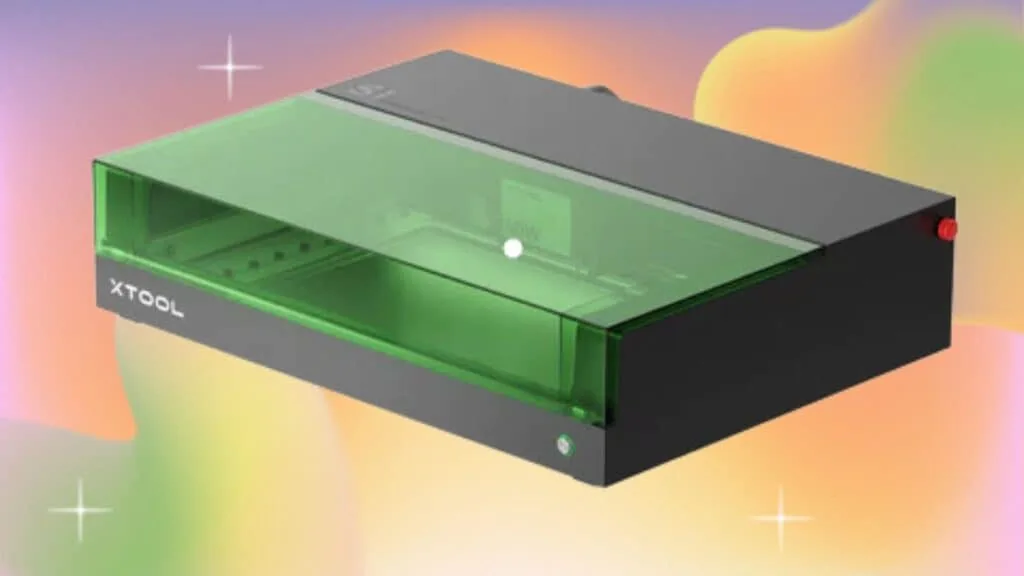
2. xTool S1 (Multi-purpose machine)
The xTool is a complete solution 2-in-one machine because it’s an engraver and a cutter. It has a diode laser as well as an infrared laser beam that are so eye-friendly, that you don’t even need laser goggles.
These two beams combine into one compressed spot.
The compressed spot laser technology gives it high precision, superior cutting ability, high speed, and better effects under the same electric power. The power of the 40W laser xTool S1 is equivalent to a single laser 80W laser cutting machine.
xTool comes with an integrated laser software program. It’s also compatible with different graphic design programs like Inkscape and Adobe Illustrator.
The engraver has amazing speed and performance. Great for when you’re working on multiple projects during the day.
Whether you want to engrave wooden rings, acrylic bracelets or silver wedding bands, it can handle them all.

3. Cricut Maker (Most Popular)
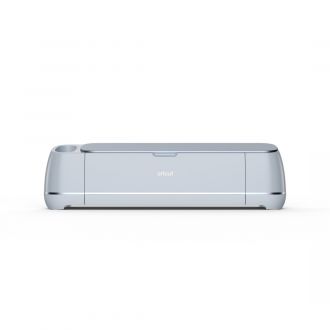
I’m sure that you’ve heard of the Cricut family of cutting machines. Lots of people, no matter their skill level, use them to make vinyl craft projects.
But did you know that they can also be used for custom engraving? You can choose a design from Access which is their in-house library of designs. Once you choose your design, you can then upload it to Design Space to begin the engraving process.
Design Space also is also available as a mobile app on your phone. This makes it easy to send instructions from your phone to the cutting machine.
All you need to engrave your jewelry is a compatible Cricut machine and the engraving tool.
Cricut Maker 3 comes with the following
- Premium Fine-Point Blade + Housing
- Welcome card
- USB cable
- Power adapter
- Free trial subscription to Cricut Access (for new subscribers)
- 100 ready-to-make projects online
- Material for a practice cut
It also has the power to cut and engrave over 300 materials. Some of these include:
- acrylic
- leather
- balsa wood
- soft metals
Cricut is not the best choice if you’re looking to do any deep engraving. It’s better for laser etching projects where you’re only marking the jewelry surface.
Want to save this for later? Pin it to your favorite DIY board on Pinterest!
Save this post to your laser tips board on Pinterest for later.
Idea to Start a Jewelry Engraving Business
Custom jewelry gifts are always in high demand. The trend has grown in recent years. So, a laser engraver can be a great business investment.
Here are some niche sectors that you can target.
- Bridal party or groomsmen gifts
- Pet dog tags
- Graduation jewelry gifts
- Memory capsule jewelry box
Ready to start your custom jewelry engraving business? Get this laser engraver bundle to start today.
More creative craft ideas!
If you loved this list of laser engravers to make jewelry, here are other supplies for jewelry craft projects you’ll need.


FAQ: 10 Easy to Use Jewelry Design Laser Engraving Machines
1. What are the key features of these laser engraving machines?
Our recommended laser engraving machines offer features like high precision, user-friendly software, durable construction, and compatibility with various materials.
2. Can these machines engrave on different types of jewelry materials?
Yes, these machines can engrave on various jewelry materials, including metals, wood, acrylic, and more.
3. Is prior experience required to operate these machines?
No, these machines are designed to be user-friendly and do not require prior experience in laser engraving.
4. What is the maximum engraving area these machines support?
The maximum engraving area varies by model but typically ranges from 100mm x 100mm to 300mm x 200mm.
5. Do these machines come with warranty and customer support?
Yes, most of these machines come with a warranty and access to customer support to assist with any issues or questions.
