
So, you’re diving deep into the research rabbit hole about whether you should get an xTool or a Glowforge, huh?
Scrolling through endless forums, watching countless YouTube reviews, and maybe even losing a bit of sleep, all in the quest to find the perfect laser engraver for your small business?
Oh, I totally get it. I’ve been there, and let me tell you, the struggle is real but totally worth it.
Today we’re diving straight into the “xTool vs Glowforge” debate, and we’re adding two more contenders to the mix: the Glowforge Aura and the xTool P2.
We’ll sift through all the essential criteria, from size and software to precision and price, to help you make the most informed decision possible.
Whether you’re a DIY newbie looking to elevate your crafting game or an entrepreneur planning to cash in on custom crafts, I’m going to help you cut through the noise and give you the lowdown on what really matters.
Ready to find the laser engraver that’s the perfect fit for you?


I get commissions for purchases made through some of the links in this post. There is no extra cost to you. See my full disclosure here.
What is a Laser Cutter?
In simple terms, a laser cutter is a machine that uses a laser beam to cut or engrave materials.
Think of it as a supercharged version of your Cricut machine, but instead of a blade cutter, it uses a laser to work on a wide variety of materials.
Why Should You Consider an xTool D1 Pro?
The xTool D1 Pro is one of the best machines if you’re a small business owner or a hobbyist. With great performance, it offers:
- Ease of use: Its user-friendly interface is perfect for beginners.
- Affordability: The price point is much more accessible compared to Glowforge machines, especially for those just starting.
- Flexibility: You can use your own designs, making it perfect for personalized projects.


What Makes Glowforge Tick?
Glowforge is often considered the “Apple of laser engravers.” It’s sleek, user-friendly, and packed with features. But it comes with a hefty price tag.
Introducing the Glowforge Aura
The Glowforge Aura is a newer addition to the Glowforge family, and it’s designed to bring laser cutting and engraving to the masses at a more affordable price point of $1,199.00. It’s compatible with a wide range of materials, from wood and acrylic to leather and even food. The Aura offers:
- Ease of Use: With its web-based software, you can start printing in minutes.
- Material Versatility: It can cut materials up to 1/4″ thick and engrave materials up to 3/4″ thick.
- Safety Features: The Aura comes with safety sensors that alert you in case of bumps, unplanned movement, or overtemperature conditions.


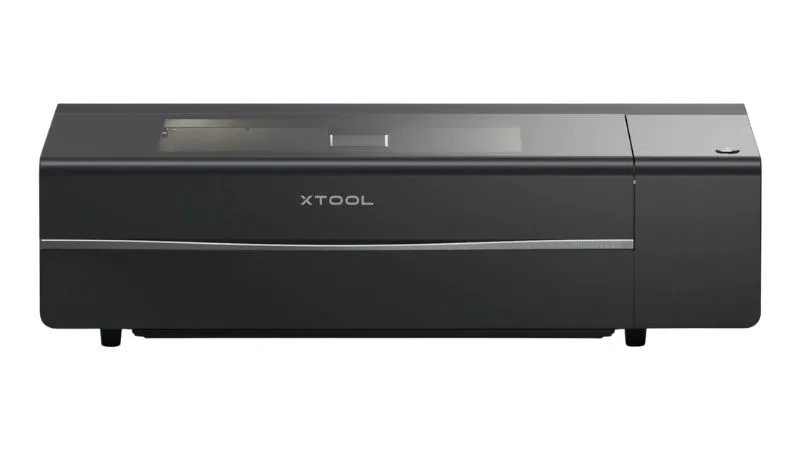
Introducing the xTool P2
The xTool P2 is another fantastic option for small businesses and hobbyists. It’s a 55W CO2 laser cutter that offers:
- High Power: The 55W laser tube allows for cleaner cuts and engraving on various materials.
- Ease of Use: The xTool P2 comes with user-friendly software, making it easy for beginners to get started.
- Safety Features: The machine includes an emergency stop button and air assist to ensure safe operation.

How Do xTool and Glowforge Compare?
Size and Weight
Both machines have a substantial footprint, but the xTool D1 Pro is slightly smaller, making it a better option for small businesses with limited space.
Type of Laser
Both the Glowforge Pro and the xTool D1 Pro use a CO2 laser tube. However, xTool also offers a 5W diode laser for those who might need it for specific tasks.
Precision and Cut Quality
Both machines offer incredibly intricate designs. However, the xTool D1 Pro has the upper hand when it comes to cleaner cuts, especially on thicker materials.
Software Experience
Free Software
Both brands offer free software. Glowforge has its proprietary software, while xTool comes with xTool Creative Space Software.
Premium Software
Glowforge offers a premium subscription at $50/month. xTool, on the other hand, is compatible with Lightburn, which costs about $60, then you can renew the license every year. This makes xTool the best option for long-term savings.
Don’t confuse these software programs with graphic design software. You can design your laser file in a graphic design program and then upload it to a compatible laser engraving software.


Safety Features
Glowforge machines come with built-in safety features like an emergency stop button and a close-range camera. xTool D1 Pro requires some additional setup for optimal safety but is by no means lacking in this department.
Maintenance and Care
Both laser machines require routine cleaning to prevent toxic fumes and ensure smooth operation. However, xTool’s laser head is easier to replace, making it more maintenance-friendly.
I highly recommend using a smoke purifier, especially if you have a small workspace and not a lot of ventilation.


Materials You Can Work With
You can use both machines on a wide variety of materials, from clear acrylic to stainless steel. However, Glowforge’s laser cutting is slightly better on softer materials, while xTool excels on harder surfaces.
Cost and Price Range
Most of the Glowforge machines can set you back anywhere from $4000 for their basic model to $7000 for their pro version. But the Glowforge Aura is at a lower price point; around $1200.
xTool D1 Pro starts at an even more accessible price point of $1000, making it one of the best Glowforge alternatives for budget-conscious crafters.


Three Big Advantages of xTool D1 Pro Over Glowforge
- Software Flexibility: xTool Creative Space software can be run offline, giving you peace of mind. You’re not tied to a company’s servers.
- Total Cost of Ownership: From the upfront cost to the long-term software fees, xTool is more budget-friendly.
- Upgradability: From laser power to additional features like a rotary attachment, xTool offers much more room for growth.
Areas Where Glowforge Has the Upper Hand
- Ease of Use: Glowforge comes ready to use out of the box, with less setup time.
- Safety Features: The built-in safety measures make Glowforge more secure for personal use.
- Material Settings: Glowforge’s software can automatically detect material settings, which is convenient but also ties you to using their proprietary materials.
Which One Should You Buy and Why?
Considering all factors, the xTool D1 Pro offers more bang for your buck. It’s flexible, cost-effective, and offers room for growth, making it the best option for small businesses and crafting newbies.
Conclusion
There you have it, a comprehensive comparison to help you decide between an xTool D1 Pro, Glowforge Pro, Glowforge Aura, and xTool P2.
Each machine has its pros and cons, but the most important thing is to choose one that aligns with your crafting goals and budget.
Now that you know the ins and outs of these two laser cutters, why not take your crafting game to the next level?
If you’re interested in diving deeper into the world of crafting machines, you’ll definitely want to check out my guide on the best laser cutting machines for stainless steel.
Trust me, it’s a game-changer for those looking to work with more robust materials.
You’re ready to make all sorts of projects, and I can’t wait to see what you create next.

Monica
Thursday 7th of March 2024
How did you know I needed this today?!?! Thanks for some great insight!!