
A laser engraving machine for dog tags can help you make cute things for your pets.
Do you want to make pet tags, but don’t have the right equipment? What are the best laser cutting machines that are easy enough for beginners?
You might think that you need to have a ton of crafting skills or be a pro at using computers. But that’s not true.
As long as you know how to turn on a computer or open an app on your phone, you’ve got what it takes.
Well, in this post, I give you a quick run down of ten high quality engraving systems on the market so that you can choose the best one for your needs.
No time to read the whole post? Here are my top 3 picks

I get commissions for purchases made through some of the links in this post. There is no extra cost to you. See my full disclosure here.
Laser Engraver
First off, what is a laser engraver and what can it do?
The laser engraver is a machine that uses a focused beam of high-powered infrared radiation to cut metal, plastic, wood, glass, and many other materials.
It can be used to create
- custom jewelry
- personalized phone covers
- medals
- custom tumblers
- and other items.
Whether you’re looking to personalize your dog’s tag to add flair to their everyday attire, or start a full-on craft business, laser engravers are perfect for the job.
List of best laser engravers for Dog Tags
- xTool P2 (Best for small businesses)
- xTool S1 (High Accuracy Engraving)
- Cricut Maker (Most Popular)
- Silhouette Cameo (Easy to set up)
- xTool M1 (Compact)
- Silhouette Curio
- Brother ScanNCut 3-in-1 Tool
- Laser Pecker 2
- Ortur Laser Master Engraver
- ATOMSTACK A20 Pro
1. xTool P2 (Best for small businesses)
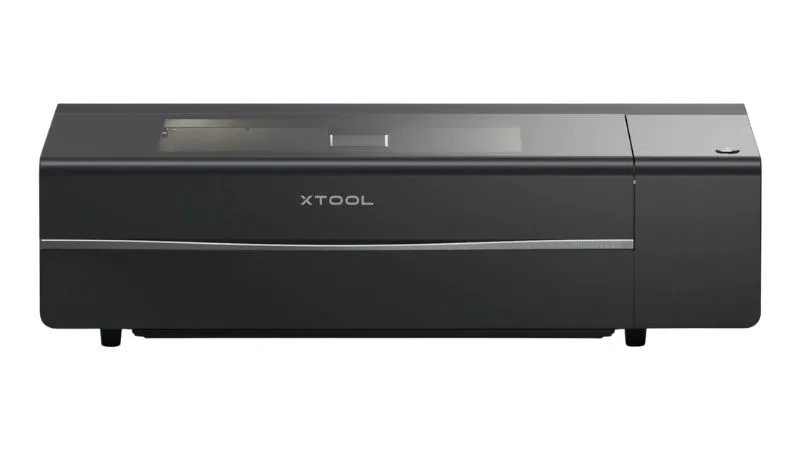
Whether you only want to make dog tags as a hobby or you’re thinking about starting a small craft business, the xTool P2 can help you do both.
Not only is xTool P2 an engraver but it’s also a 3D laser cutter. It has a high-resolution ultra-wide-angle camera that lets you preview your projects before you engrave them.
Thinking about making custom drawings on the pet id tags? xTool P2 lets you directly engrave your design on the back of the tag.
Features:
- AI Auto-Focus
- No Internet Required
- Includes an Early Warning Safety System
- Integrated Smoke purifier
- Great customer service

2. xTool S1 (High Accuracy Engraving)
The xTool is known for its high accuracy because it combines two laser beams into one spot.
The compressed spot has higher power, higher cutting ability, faster speed, and better effects under the same electric power. The power of the 10W dual laser xTool D1 is equivalent to a single laser 15W laser cutting machine.

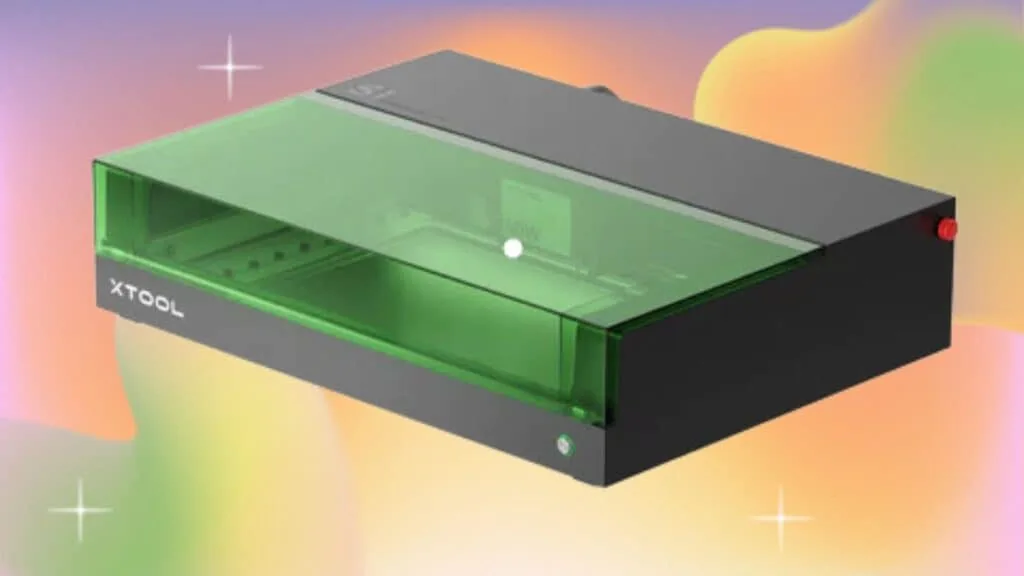
The xTool S1 is a game-changer in the world of laser engraving. With first-class laser safety certification and an enclosed design, it offers four-tier safety protection.
The machine boasts up to 40W high power and stable performance at 600mm/s. Its revolutionary tech includes twin-point positioning for camera-like precision and a full-scene autofocus system.
This makes it easy to see the image that you want to engrave.
It’s a newer machine so, you may not find as many tutorials on how to use it just yet. Nevertheless, it’s made with beginners in mind, so the learning curve is pretty small.


xTool comes with an integrated laser software program. It’s also compatible with different graphic design programs like Inkscape and Adobe Illustrator.
The engraver has amazing speed and performance. You’ll be happy with all the different ways that you can use it.
Whether you want to engrave wood, acrylic or stainless steel tags, it can handle them all.
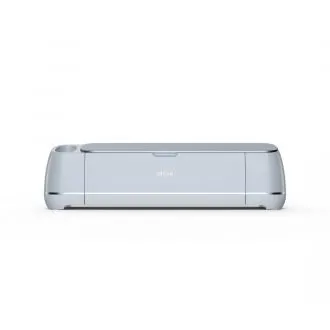
3. Cricut Maker (Most Popular)
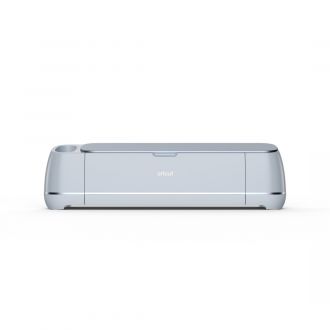
You’ve probably heard of Cricut cutting machines. They are a reputable company and lots of people use their machines every day to make vinyl craft projects.
But did you know that they can also be used for engraving? You can upload a design to their free software program called Design Space.
Design Space also works as an app on your phone. This makes it easy to send instructions from your phone to the cutting machine.
All you need to engrave your dog tags is a compatible Cricut machine and the engraving tool.
Cricut Maker 3 comes with the following:
- Premium Fine-Point Blade + Housing
- Welcome card
- USB cable
- Power adapter
- Free trial subscription to Cricut Access (for new subscribers)
- 100 ready-to-make projects online
- Material for a practice cut
It also has the power to cut and engrave over 300 materials. Some of these include:
- Chipboard
- Matboard
- leather
- Suede
- balsa wood
- Paper
- and more.


Here’s a tutorial to make charm dog tags out of Shrinky Dink paper using a Cricut Maker.
You’ll need a few supplies like an engraving machine and blank acrylic or aluminum tags to make your own custom dog tags.
Most laser engraving machines can be bought at a reasonable price and some can cost up to $5000 – $6000.
How to Make a Cricut Dog Tag


Whether you're looking to personalize your pet's collar or just add some flair to their everyday attire, this DIY dog tag tutorial is perfect for the job.
Materials
- Aluminum pet tag blank
- tape
- cutting mat
Tools
Instructions
- Upload a design to Cricut Design Space,
- Load the engraving tool into the QuickSwap Housing
- Attach an aluminum dog tag to the cutting mat using tape
- Go to the text menu button and select Engrave
- Click Go!
Recommended Products
As an Amazon Associate and member of other affiliate programs, I earn from qualifying purchases.
Want to save this for later? Pin it to your favorite DIY board on Pinterest!
Save this post to your laser tips board on Pinterest for later.
Idea to Start a Dog Collar Business
Making custom dog collars with a laser engraver can be a great service to offer to pet lovers. The most important thing is to find a way to make your service unique.
How about starting a membership site for monthly dog id tags.
Afterall, dog owners love spoiling their furry friend.
They can match the collars to their pets’ outfits and still have all the necessary personal information engraved on the tag.
Just make sure to keep the font size small enough so that it won’t interfere with the readability of the tag itself.
You can treat members to special offers like one free tag with every yearly membership sign up.
Use this laser engraver bundle pack to start your business today.
More creative craft ideas!
If you loved this list of laser engravers to make dog tags, here are other ideas for pet craft projects you can make.


FAQs for Beginner Laser Engraving Machines for Dog Tags
Q1: What is laser engraving?
Laser engraving is a process that uses a focused laser beam to etch or mark a surface. It’s commonly used for personalizing items like dog tags with names, messages, or designs.
Q2: Why should I consider a beginner laser engraving machine for dog tags?
Beginner laser engraving machines are more user-friendly and affordable, making them ideal for those new to laser engraving. They are a great choice for personal projects and small businesses.
Q3: How do I choose the right laser engraving machine for dog tags?
Consider factors like power, engraving area, ease of use, and your budget. Look for user reviews and expert recommendations to make an informed decision.
Q4: Can I engrave different materials with these machines?
Yes, many laser engraving machines can work on various materials, including metal, wood, acrylic, and plastic. Check the machine’s specifications to ensure compatibility with your desired materials.
Q5: Are safety precautions necessary when using laser engraving machines?
Yes, safety is crucial. Always wear protective gear, ensure good ventilation, and follow the manufacturer’s instructions. Laser engraving can be hazardous if not done correctly.
