
When it comes to creating beautiful and intricate designs, a Cricut machine can be your best friend. But to get the most out of your crafting experience, you need the perfect laptop to pair it with.
In this post, I’ll be sharing my list of the 7 best laptops to use with your Cricut Explore and answering some frequently asked questions.


I get commissions for purchases made through some of the links in this post. There is no extra cost to you. See my full disclosure here.
What Kind of Laptops Work with Cricut?
Lots of laptops will work with Cricut. Look for brands that use a Windows or macOS system. Anything else, like a Chromebook, will not work with a Cricut machine.
What Are the System Requirements?
Cricut machines work with their in-house software called Design Space. You don’t need to buy special software because the Cricut software is free to download to your laptop.
If you want lots of ready-made designs, you can get Cricut Access, which is a subscription offer.
It is available for Windows, Mac, and iOS. You can use Cricut with your laptop either with a broadband internet connection or offline.

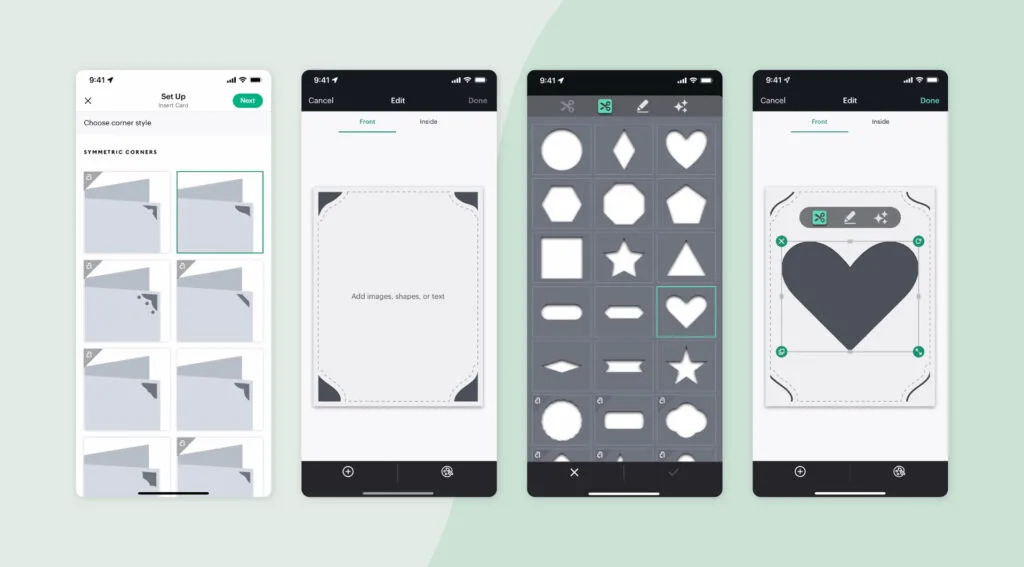
What about Mobile Devices?
The best option is to use a laptop to get the full benefits of Cricut Explore.
But if you need a more budget-friendly option or want to use a mobile device that you already have then it’s not a deal breaker.
This goes for Android devices as well as iOS ones.
Windows
- Windows® 10 or later
- CPU: Intel™ Dual-Core or equivalent AMD® processor
- RAM: 4GB
- 2 GB of storage space (free disk space)
- An available USB port or Bluetooth® connection
- Display: Minimum 1024px x 768px screen resolution
Mac OS
- macOS 11 or later
- CPU 1.83 GHz
- RAM: 4GB
- 2 GB of storage (free disk space)
- An available USB port or Bluetooth® connection
- Display: Minimum 1024px x 768px screen resolution
The Top 3 Laptops
Here are my top 3 picks:
1. Lenovo Ideapad (Best Budget Laptop)
The Lenovo Ideapad will give you a fantastic experience when using it with Cricut. It’s fast, lightweight, and portable, all for under $500.
The SSD and Ryzen 5 5500U processor make it incredibly quick, and the 8 GB of RAM is a great standard feature.
However, the 256 GB hard drive capacity is limited, so consider using an external hard drive or expansion kit for extra space.
The laptop is very quick and has an accurate, responsive keyboard. It’s perfect for simple projects, like Print then Cut and vinyl cut files.
The sound quality is not the best, but overall, this is a great laptop in its price range, and I would recommend it.
- Pro: Fast performance with SSD and Ryzen 5 5500U processor.
- Con: Limited hard drive capacity and poor sound quality.

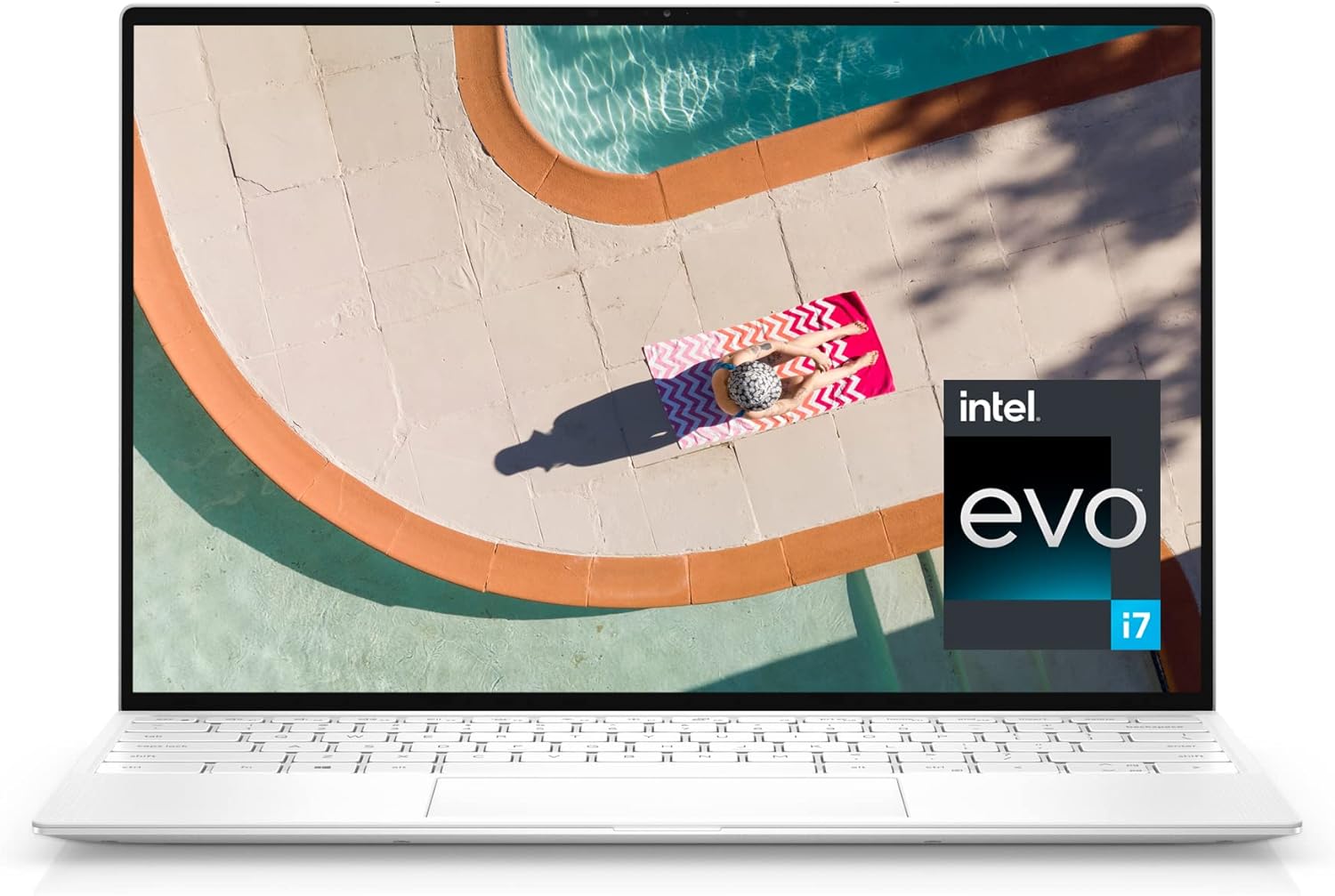
2. Dell XPS 13 (Perfect Choice for Beginner Cricut Users)
This is a good all-around laptop with a wide keyboard. There are only 2 usb ports but that’s enough to connect it to your Cricut machine.
You have the option to use adaptors if you need another usb-c port.
If you’re used to using a trackpad then you may find it a little hard to maneuver because it doesn’t have a dedicated space for this.
The bottom front part of the keyboard is used as the trackpad space. You can also just use a wireless mouse like I do.
- Pro: All aluminum shell, Option to connect to other devices via adaptors
- Con: Only 2 USB ports
3. MacBook Pro (High Resolution)
If you are a fan of Apple products then opt for this new model MacBook Pro. Just like with the previous model, you’ll be able to seamlessly connect with your Cricut and your iPhone.
It’s incredibly fast when it comes to overall performance but the screen response time can be slow at times. But despite the price, any loyal Mac user will love it overall.
- Pro: Fast performance and seamless integration with iPhone
- Con: Slow screen response time

List of 7 Best Laptops to Use with Cricut Explore
- Lenovo Ideapad
- Dell XPS
- MacBook Pro
- Asus VivoBook
- HP Pavilion
- Apple MacBook Air
- Dell Inspiron
Conclusion
In conclusion, there are many great laptops available that are compatible with Cricut machines. You can get a new laptop or a refurbished one.
Think about options that have hours of battery life and storage capacity for all your Cricut designs. Just make sure to meet the minimum operating system requirements for the Cricut Design Space software, and you’ll be good to go.
My top picks include the Lenovo Ideapad, Dell XPS 13, and MacBook Pro, but other options like the Asus VivoBook, HP Pavilion, Apple MacBook Air, and Dell Inspiron are also worth considering.


FAQ
A base model laptop with at least 4GB of RAM, a dual-core processor, and an available USB port or Bluetooth connectivity is ideal for working with Cricut.
You need a Windows or macOS laptop that meets the minimum system requirements and has enough power for Cricut Design Space.
You don’t need a specific laptop for Cricut, but you should have one that meets the minimum system requirements for the Cricut Design Space software.
You can use any Windows or macOS laptop that meets the minimum system requirements for the Cricut Design Space software.
You need a minimum of 4GB RAM for Cricut Design Space.
