
Canva Fonts That Go Together: 3 Easy-to-Use Pairings
One way to find fonts that look good together is to use a tool like Canva, which allows you to preview different fonts and see how they look together.
Inside Canva, you’ll find a tool that suggests the best canva font pairings that are commonly used together and are known to look good.
Most of them are free fonts but a few of them are only available through Canva Pro.
Just look up @canvacreativestudio to get to them.

I get commissions for purchases made through some of the links in this post. There is no extra cost to you. See my full disclosure here.
What Font Combos are the Most Popular?
Need a few pairing ideas? Check out my list below to see the most popular fonts to combine now.
- Chewy and League Spartan
- Roboto and Playlist Script
- Mont Bold and Humble hearts
- League Spartan and Sanchez
- Elegant League Spartan and Selima
- Playfair Display and Kollektif
- Glacial indifference lowercase letters and Glacial indifference
- Montserrat Light and Antigua
- Six Caps and League Spartan
- Abril Fatface and Glacial indifference
Here are a few logo examples that I made using the font pairing tool.
1. Welcome Home
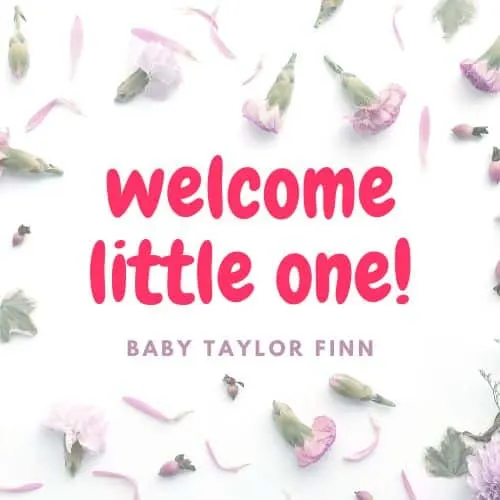
This pairing features Chewy, a bold font, and League Spartan, a san-serif font. San-serif fonts are great for social media graphics because they are legible fonts.
I added a flower background to give it a look that would work for a baby shower. You can see the Baby Welcome Home font pairing here.

2. Modern Fonts
Looking for something for a party? The Modern Script combo is perfect for you. Check out this invitation that I made with it. It brings together the Roboto font and the very famous Playlist script font.
Mixing cursive fonts with script fonts can give you the perfect match.
Feel free to change up the colors and the sizing of the text.


3. Neon Text Effect
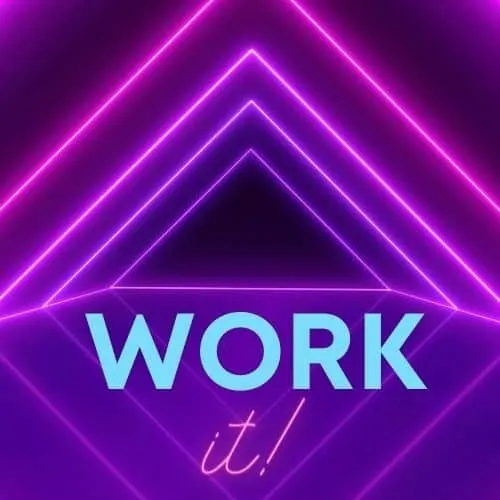
Everything from the 90’s is trending and neon is no exception. This Work it! neon duo can be edited and here’s how.
- Double click on the grouped text
- Click on the three dots in the menu bar and select Ungroup
- Go to the text box and type in the body text that you want
- Adjust the line height
- Select Group to make it a combined set again.

Pro Tip: Get a Canva Pro subscription to access all the premium fonts.


What to Make with a Good Canva Font Combination
- Pinterest pin designs
- Laser cut letters for a wooden sign
- banners for blog posts
- business cards
- logos for a small business owner
- book cover
- brand identity pack for commercial use
Conclusion
Experiment with the different font styles before committing to one. A great way to do this is to create a sample document with different combinations and see which are the right fonts for you.
Finally, you can also use Canva’s pairing guide which goes over the history of typography and gives you a few examples to use when making an ebook, a resume, and other projects.
So you see, using great font pairings is not only for graphic designers. Canva’s got lots of unique font combinations for you to try.
Want more ideas? Check out my other blog posts like the one on why you need Google fonts for crafting.
