
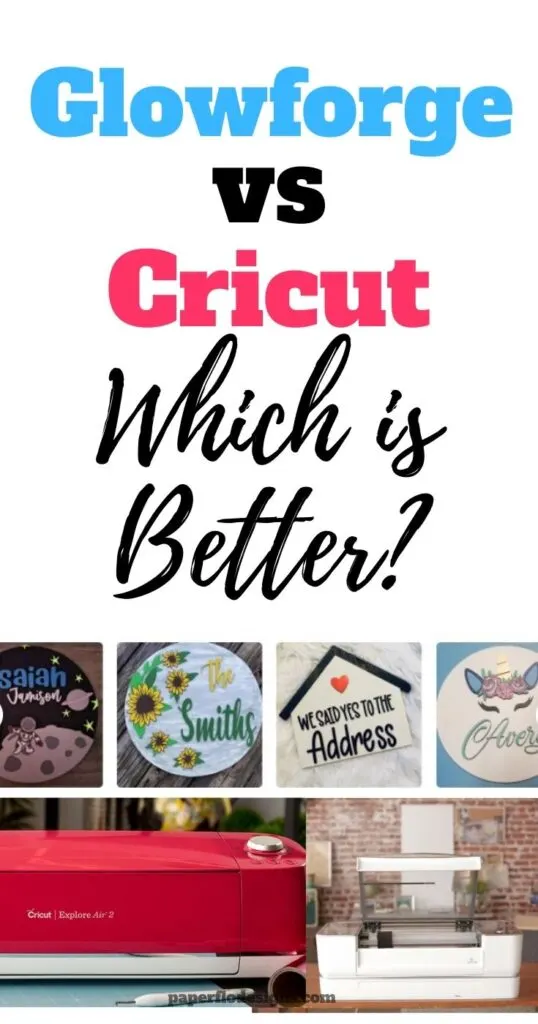
Glowforge vs Cricut: Which Laser Cutting Machine is Right for You?
Do you love crafting? Then I’m sure you’ve heard about two of the most popular crafting machines, Cricut and Glowforge. But which one is right for you?
The Cricut Maker allows you to upload an svg file and cut out the design from vinyl to make custom cups, mugs and t-shirts.
The Glowforge is a laser printer that lets you create 2D and 3D objects with ease.
Do you love making crafts, but don’t know which machine to buy? This post will help you choose between these two popular craft machines.
I will give you a breakdown of the features, the different materials that work with each, and if there are any additional costs.

I get commissions for purchases made through some of the links in this post. There is no extra cost to you. See my full disclosure here.
The Glowforge
The Glowforge machine is a new type of 3D printer that allows users to make 3D objects by using heat and light. It’s easy to use and has a variety of different materials that you can cut and engrave.
- Leather
- Acrylic
- Hardwood
- Fabric
- Paper
- Plexiglas (acrylic)
- Delrin (acetal)
- Glass
- coated metal
- Marble
- Anodized aluminum
- Titanium
- Smartphones
- Tablets
- Laptops
- Mylar
- Rubber
- Corian
- Foods (oh yes, take a look at the list below)
Can you use a Glowforge on food?
Here are some of the foods that you can laser engrave with a Glowforge:
- Marshmallows
- Pumpkin pie
- Chocolate
- Macarons
- Pancakes
- Toast
- Sushi
As you can see, Glowforge can cut and engrave a lot of laser safe materials.
Glowforge Project Ideas
There is so much that you can make with a Glowforge, from jewelry, toys, cake toppers, a wood sign, and more.
You can download designs from their catalog or ask around in facebook groups if you’re looking for ideas.
How do you make Glowforge designs?
It’s also possible to make your own designs using a vector graphics program like Adobe Illustrator or Inkscape. Adobe photoshop is not a good option if you want to make svg files because it produces raster files.
You can use raster files like png and jpg (jpeg) image files for the engraving process but not for the cutting process.
Different Glowforge machines
Let’s take a look at the 3 machines that Glowforge produces.
1.Glowforge Pro (Most Popular)
This is the most popular of the 3 machines in the collection. That’s because it is good for beginners and professionals alike.
New Glowforge owners often become budding small businesses. The good thing is that if you are using Glowforge for professional use, you’ll benefit from the enhanced cooling feature for all-day use of this design machine.
When you have to get those orders out, you don’t want to waste time by stopping production and waiting for the machine to cool down.
Here are the features and specs for the Glowforge Pro.
Material Capability
- 19.5” by ∞
- Maximum material height: 2″ (50mm)
Features
- 45W Laser tube power
- 12 month comprehensive warranty
- $150 of Premium Proofgrade Materials
- Upgraded hardware for improved speed
- 120% Cut speed
- Enhanced cooling for all-day use
- Giant-size prints with Passthrough Slot
- Free shipping
Software
- Drag-and-drop with live camera preview
- Works with Mac, PC, iPhone, Android and more
- JPG, PNG, SVG, PDF, and more
Hardware
- Dimensions: 38W x 20.75D x 8.25H
- Dual cameras: wide angle & macro
- Precise to 1/1000th of an inch
- Full autofocus
2.Glowforge Basic
The original tried and true standard model of the bunch, is nothing to sneeze at. It’s a workhorse that has plenty to offer. You can cut and engrave a wide variety of materials with the basic model.
If you’re trying to choose between getting an alternative 3d printer or the Glowforge, you’ll be happy to know that this machine can also do some 3d printing.
Check out the specs for this one.
Material Capability
- 19.5” by 11”
- Maximum material height: 2″ (50mm)
Features
- 40W Laser tube power
- 6 month comprehensive warranty
- $150 of Premium Proofgrade Materials
Upgraded hardware for improved speed120% Cut speedEnhanced cooling for all-day useGiant-size prints with Passthrough SlotFree shipping
Software
- Drag-and-drop with live camera preview
- Works with Mac, PC, iPhone, Android, and more
- JPG, PNG, SVG, PDF, and more
Hardware
- Dimensions: 38W x 20.75D x 8.25H
- Dual cameras: wide angle & macro
- Precise to 1/1000th of an inch
- Full autofocus
3.Glowforge Plus
Here are the specifications for the Glowforge Plus
Material Capability
- 19.5” by 11”
- Maximum material height: 2″ (50mm)
Features
- 40W Laser tube power
- $150 of Premium Proofgrade Materials
- 12 month comprehensive warranty
Upgraded hardware for improved speed120% Cut speedEnhanced cooling for all-day useGiant-size prints with Passthrough SlotFree shipping
Software
- Drag-and-drop with live camera preview
- Works with Mac, PC, iPhone, Android, and more
- JPG, PNG, SVG, PDF, and more
Hardware
- Dimensions: 38W x 20.75D x 8.25H
- Dual cameras: wide angle & macro
- Precise to 1/1000th of an inch
- Full autofocus
The Cricut Maker
The Cricut brand is older than Glowforge. You can easily find these machines in almost any big box store, like Target or Walmart.
Cricut machines are known for their ease of use. With it, you can take an svg file and cut out vinyl designs then apply them to plastic, wood, and metal craft projects.
This makes it ideal for those who love making crafts for personal use or those who want to sell their mugs, tumblers, t-shirts, and other products.
Since the company has been around longer, they have lots of great machines.
And they are always adding new tools that complement the machines. Some of these tools are heat presses, cutting mats, vinyl, and craft blanks. The extra cost of these tools, including the initial investment of the cutting machine, is still lower than the price of the glowforge.
They currently have five cutting machines. This means that the collection of Cricut machines outnumbers Glowforge.
Here are the current machines in the Cricut lineup.
1.Cricut Maker (The most popular)
Max material width
- 12 in
- (30.5 cm)
Max cut length
- 1.9 ft
- (58 cm)
Material compatibility
- 300+ materials
Tools / Capabilities
- 13 tools (cutting, writing, scoring, foiling, debossing, engraving & more)
- Commercial-grade performance
Compatible with Smart Materials- Works with home printer to print, then cut
- Compatible with Cricut Design Design app
2.Cricut Explore Air 2
Max material width
- 12 in
- (30.5 cm)
Max cut length
- 1.9 ft
- (58 cm)
Material compatibility
- 100+ materials
Tools / Capabilities
- 6 tools (cutting, writing, scoring & foiling)
Commercial-grade performanceCompatible with Smart Materials- Works with home printer to print, then cut
- Compatible with Cricut Design Design app
3. Cricut Explore 3
Max material width
- 13 in
- (33 cm)
Max cut length
- 12 ft
- (3.6 m)
Material compatibility
- 100+ materials
Tools / Capabilities
- 6 tools (cutting, writing, scoring & foiling)
Commercial-grade performance- Compatible with Smart Materials 13 in wide, up to 75 ft (33 cm wide, up to 22.8 m)
- Works with home printer to print, then cut
- Compatible with Cricut Design Design app
4. Cricut Maker 3
Max material width
- 13 in
- (33 cm)
Max cut length
- 12 ft
- (3.6 m)
Material compatibility
- 300+ materials
Tools / Capabilities
- 13 tools (cutting, writing, scoring, foiling, debossing, engraving & more)
- Commercial-grade performance
- Compatible with Smart Materials 13 in wide, up to 75 ft (33 cm wide, up to 22.8 m)
- Works with home printer to print, then cut
- Compatible with Cricut Design Design app
5. Cricut Joy
Max material width
- 5.5 in
- (13.9 cm)
Max cut length
- 4 ft
- (1.2 m)
Material compatibility
- 50+ materials
Tools / Capabilities
- 3 tools (cutting, writing & foiling)
Commercial-grade performanceCompatible with Smart MaterialsWorks with home printer to print, then cut- Compatible with Cricut Design Design app
Tools and Optional Supplies
There are a few tools that are not included with the purchase of the cutting machines. They are not necessary to run the machine but they are extras to make things a little easier.
Glowforge Optional Supplies
- Glowforge app
- Air Filter
😮💨Why does the Glowforge need a filter?
You don’t need to use the Glowforge air filter as long as your machine is near an open window while in use.
If you don’t have any windows in your craft room then air filters is a must to avoid inhaling toxic fumes.
It only takes 5 minutes to set up and they are small enough to fit under your desk or craft table.
Cricut Optional Supplies
- Gel pen sets
- Heat resistant tape
- Transfer tape
- Vinyl
- Cricut Design Space App
📱 Is the Cricut Design Space app free?
The Cricut Design Space app is free. There is no monthly subscription to use it. You just need your device, like a phone or a tablet, and an internet connection.
However, Cricut Access, which gives you access to digital files, fonts, and exclusive features has paid and free options.
You can use most of the features of your Cricut Access subscription in the Design Space app.
Save this idea
Want to save this for later? Pin it to your favorite DIY board on Pinterest!
No time to read the post now? Save it to your craft ideas board on Pinterest so that you can come back and read it later.
More creative craft ideas!
If you loved this list of ideas, I hope you will try my other easy DIY craft ideas! Glowforge Alternatives, 25 crafts to make and sell, how to make laser cut files for Glowforge
