
Do you want to make 3d printed objects, but don’t have the right computer? What are the must have computers for 3d printing?
You might think that your current computer is good enough. But then you start thinking about what size graphic card you’ll need, what design software is the best, can you use a gaming laptop, or what about firmware upgrades??
Ah! All you want is a good computer to start the printing process today!
Well, in this post, I give you a quick run down and all the information to make good choices when it comes to choosing your computer.
List of best computers for 3D printing
- HP Pavilion Gaming Desktop (built for gamers)
- Dell Precision 3650 Tower 1FHKG Xeon W-1370P 16GB 512GB SSD (best quality build)
- MSI MAG Infinite 11TC-1222AT DDR4-SDRAM i7-11700F (best desktop computer)
- Lenovo ThinkCentre M70a All in One PC (Easy to set up)
- Apple Mac Mini (Compact)
- Microsoft Surface Pro 8 13″ Intel Core i7 16GB Laptop Tablet, Platinum
- Lenovo ThinkCentre M70q DDR4-SDRAM i3-10105T Mini PC Intel Core
- Mac Pro 7.1 2019 – 2.7GHz 24 Core – 768GB RAM – Twin Radeon Pro W6900X
- Apple iMac 5K 27″ (2020) – Intel Core i5 512 GB SSD
- Sonnet DuoModo xMac Mini eGPU Desktop System


I get commissions for purchases made through some of the links in this post. There is no extra cost to you. See my full disclosure here.
1. HP Pavilion Gaming Desktop
Whether you’re a designer, gamer or both, the HP Pavilion can handle large files, and a wide range of gaming and 3d design printing technology without breaking a sweat. The processor and the video card are long lasting and high quality.
Tech Specs:
- Intel Core i5-10400
- Nvidia GeForce RTX 3060 (comparable to nvidia geforce gtx)
- 8GB RAM
- 256GB SSD
- Windows 11 Home
- TG01-1183w

2.Dell Precision 3650 Tower 1FHKG Xeon W-1370P 16GB 512GB SSD
The Dell is considered to be among the basic models of modern computers. But, whether it’s for personal use or small businesses, you’ll be pleased by all the different use cases that it’s good for.
The computer is amazing in its speed, performance, and build quality. The computer is so quiet that if it weren’t for the display monitor you would forget that it’s on.
Tech Specs:
- 12ᵗʰ Gen Intel® Core™ i7-12700
- Windows 11 Home
- Intel® UHD 770
- 16 GB Memory
- 512 GB SSD

3. MSI MAG Infinite 11TC-1222AT DDR4-SDRAM i7-11700F Desktop
Are you into gaming? Then this is the best computer for you. The MSI Mag Infinite is built for gamers but is also capable of handling endless possibilities of 3d designing for creators that want.
The graphic design on Infinite’s case is stylized with electric circuitry traces on the front side, which can be customized with RGB colors.
The power supply is kept cool thanks to MSI’s exclusive Silent Storm Cooling thermal design. The temperature regulation is unmatched and ulta quiet. Pair it with a high resolution screen and you’re set to go.
Tech Specs:
- FREE Upgrade to Windows 11*
- Up to 11th Gen Intel® Core™ i7-11700 processor with DDR4 memory
- Up to MSI GeForce® RTX 3070 8GB GDDR6 graphics
- Exclusive Silent Storm Cooling 2 cooling system enhances system cooling and keeps it silent.
- M.2 SSD – Up to 3300MB/s transmission clock speed, load your games in seconds
- Easy to upgrade – designed to upgrade your components with ease.
- Built-in carry handle – Take your Gaming Desktop everywhere with the easy-to-carry handle.
4. Lenovo ThinkCentre M70a All-in-One PC
The ThinkCentre All-in-one is compact and takes up very little space. It’s the perfect size. The monitor is crystal clear with in-depth colors.
You’ll love the user interface.
Connections are easily accessible on the right edge of the monitor and there is even a space to hide the wires.
With its huge memory, easy assembly, and excellent speed, it’s a great option for any skill level.
Tech Specs:
- Up to 10th Gen Intel® Core™ i9 processing
- Features an adjustable 21.5″ FHD display
- Easy to set up, use, and manage
- Dolby Atmos® audio
- Up to 64GB DDR4 2933MHz
- Military-grade tested for durability
- Top hardware and software security features
- Includes USB Keyboard & Mouse

Watch the review video for the Lenovo
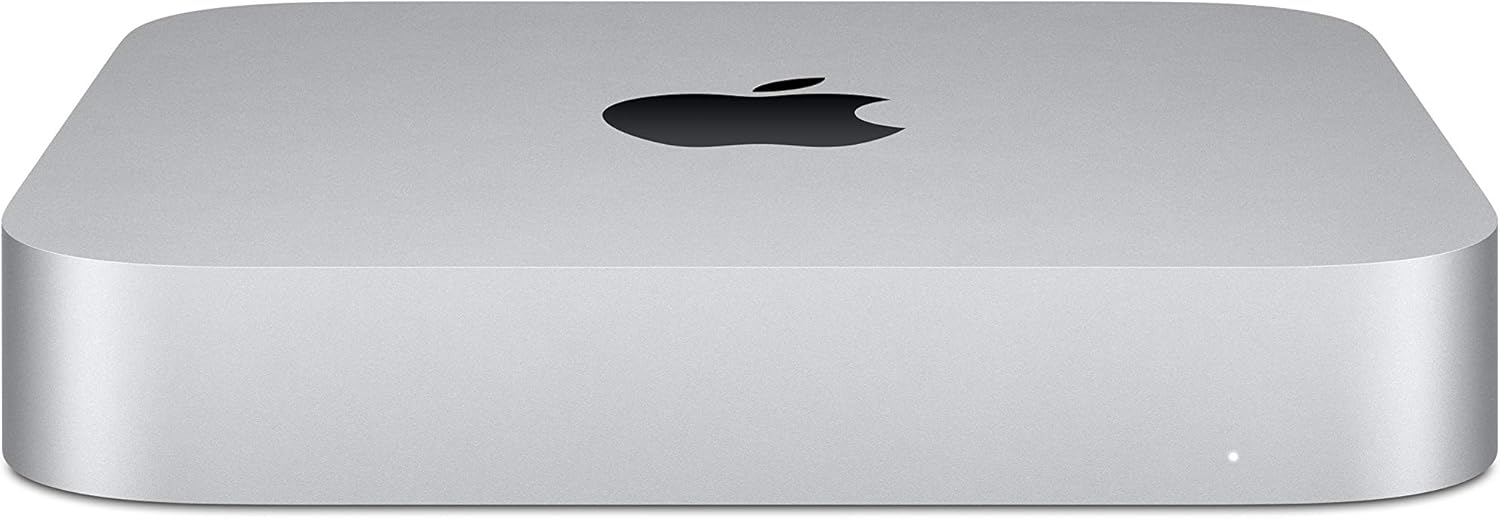
5. Apple Mac Mini
Everything else about this mac and OSX is seamless and usable.
The SSD storage space is sufficient for light to moderate use, but if you plan on using it a lot, you will need to buy supplementary storage.
Like all other Apple products, it delivers the quality, great product design, and low carbon footprint that you’re used to. The price range is on the higher end, but that’s also to be expected with Apple.
- Eighth-generation 6-core Intel Core i5 processor
- Intel UHD Graphics 630
- 8GB 2666MHz DDR4
- Ultrafast SSD storage
- Four Thunderbolt 3 (USB-C) ports, one HDMI 2.0 port, and two USB 3 ports
- Gigabit Ethernet and 802.11ac Wi-Fi
- The latest version of macOS
Workstation Set Up
Building a workstation set up can be as simple or as complex as you want it to be.
Here’s what you’ll need for a basic set up.
- A desktop computer or laptop
- 3d printer
- Hard drive
- Desk
- Craft table
- Storage bins
What is a Computer Used For in the 3D Printer Process?
A computer is needed for the 3d printer process. The computer connects to the 3d printer and printing software tools that are needed in order to print correctly.
Without a computer, the printer would not know what it needs to do.
How to Choose Which Computer to Use with Your 3D Printer
Choosing the right computer for your 3d printer can be a tough decision. There are a lot of factors to consider and it’s hard to know where to start.
There are three main things you need to consider:
– What kind of 3d printer do you have?
– What kind of software will you be using with the printer? Will you buy it or use open-source software (aka free software)?
– What other programs or devices will you be using with the computer?
The Best PCs For Designing and Printing Models on Your Own
The best PCs for designing and printing models on your own are the ones that can handle everything you throw at them without breaking a sweat. If you are looking for the best PC for your needs, check out my tips below!
PC vs Mac: Macs are good for design work, but if you need to design and print models on your own, a PC is a better choice. Macs don’t have nearly enough horsepower to handle CAD software and can be difficult to upgrade.
PC Build Guide: A PC build guide will show you how to build a computer from scratch so that it is optimized for CAD software. The first thing you need is the right motherboard, CPU, graphics card, RAM and storage drive. Next, install an operating system and drivers, and finally configure the hardware so that it can do what you need it to.
Facts and Common Questions
What kind of computer is needed for a 3D printer?
You need a computer or a good laptop to use with a 3d printer. Good doesn’t mean that it needs to be an expensive computer. It should be good in the sense that it has a powerful processor.
Do you need a special computer to use a 3D printer?
You don’t need a special computer to use a 3D printer. But, a powerful computer that has enough memory and storage space should do the trick.
Can a laptop run a 3D printer?
Yes, you can run a 3D printer with a laptop. Think about getting external usb ports in order to connect your 3d printer and other accessories.
Are Apple laptops good for 3D printing?
It’s possible to use an Apple laptop or Mac computer for 3d printing. Every software program has its own requirements. Specialty software for woodworkers like Sketch List, requires Mac OS 10.13 or higher in order to operate.
Want to save this for later? Pin it to your favorite DIY board on Pinterest!
Feel free to pin this post to your favorite 3D printing board so that you can refer back to it later.
More creative craft ideas!
If you loved this list of supplies, I hope you will try my project ideas for 3d objects! 50 things to make with a 3d printer, profitable Glowforge crafts, 20 crafts to do at home
