
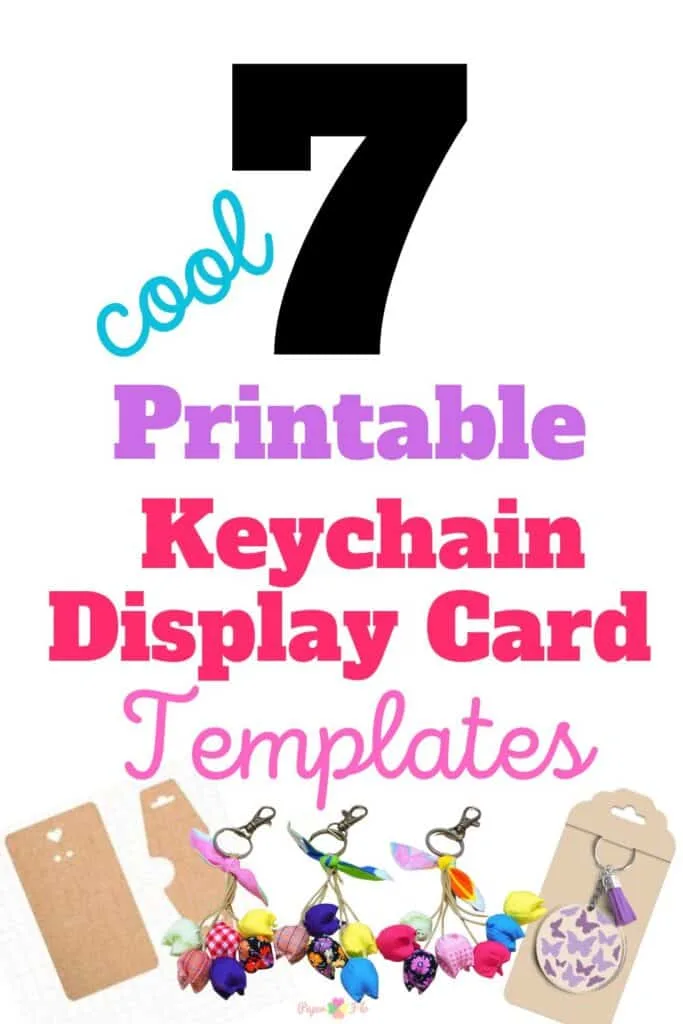
Whether you’re a seasoned crafter or just starting out, these 7 printable keychain display card templates will help you better show off your handmade keychains.

I get commissions for purchases made through some of the links in this post. There is no extra cost to you. See my full disclosure here.
1. Keyring Display Card Template
First up, we have the 6 Keyring Display Card Template Bundle. This is a fantastic starting point for anyone new to the world of keychain display cards. It’s simple, effective and has 6 different designs to fit all kinds of keychains.
2. SVG Keyring Display Card
Next, we have the SVG Keyring Display Card. This design is perfect for those of you who are familiar with SVG files and cutting machines like the Cricut Design Space. The SVG format allows for easy resizing and customization, making it a versatile choice for your keychain display card needs.
3. 6 Style Key Fob Display Card
The 6 Style Key Fob Display Card is a great option for those looking to display a variety of key fobs. With six different styles to choose from, this template offers a range of options to showcase your key fobs in an attractive and organized manner.
4. Cricut Keyring Display Card Holder
For those of you who are fans of the Cricut cutting machine, the Cricut Keyring Display Card Holder is a must-try. This design is specifically tailored for use with the Cricut Design Space, making it a breeze to cut and assemble.
5. Silhouette Keyring Display Card
If you’re a Silhouette Studio user, don’t worry, we’ve got you covered too! The Silhouette Keyring Display Card is a fantastic design that can be easily cut and assembled using the Silhouette Studio software.
6. Keychain Box SVG
The Keychain Box SVG is a unique take on the keychain display card. This design features a box-like structure, providing a more secure and robust display option for your keychains.
7. Wristlet Keychain Box SVG
Last but not least, we have the Wristlet Keychain Box SVG. This design is perfect for displaying wristlet keychains and comes in SVG format for easy customization and resizing.
Now, you might be wondering, “How do I create these keychain display cards?” Well, it’s quite simple! All you need is a cutting machine like the Cricut Maker or Silhouette Cameo, the SVG files for the designs, and a bit of creativity.
With these tools at your disposal, you’ll be creating stunning keychain display cards in no time!


Create Stunning Keychain Display Cards with Free SVG Cut Files
If you’re an absolute DIYer you probably have some printing ideas of your own. Then I’m sure that you’d like to make your own keychain svg to showcase your creations.
Afterall, if you’re looking to start a small business then you know that professional packaging for your keychain products can be the one thing that determines whether a customer buys your products or the next listing they see.
The step-by-step guide below explains how to create eye-catching keychain display cards using SVG cut files.
Here’s what you’ll need:
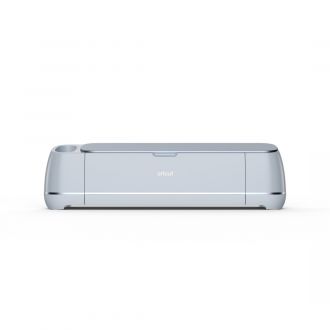
- Cricut machine: A versatile cutting machine used for precise cutting and crafting.
- Cricut Design Space: The software platform used to design and customize the keychain display card.
- Printer: Used to print the design elements and backing card.
- Paper or cardstock: The material used for creating the keychain display card and backing card.
- Scissors: Helpful for any manual cutting or adjustments needed during the process.
- Key rings: Small metal rings used to attach keys to the keychain display card.
- Logo: A personalized business logo or branding element to customize the display card.
- Computer: Necessary for accessing the design software and downloading SVG files.
Step 1: Set up the Design Space
To begin, open Cricut Design Space and create a new project. Start with a square shape, and then resize it to a rectangle of your preferred dimensions. This rectangle will serve as the base of your keychain display card.
Step 2: Add a Small Circle for the Key Ring
Next, insert a circle shape and resize it to a small size, considering the dimensions that best fit your merchandise. Place the circle in the desired position on the card. To ensure it’s perfectly centered, select both the rectangle and the circle, and then use the alignment tool to align them horizontally.
Step 3: Create the Curved Piece for the Keychain
To make the curved piece for the keychain, you can use the “scalloped” image available in Cricut Design Space. Go to the images section and search for “scalloped.” Choose a scalloped image that suits your preference and add it to the canvas. Rotate the image 90 degrees if necessary.
Step 4: Customize the Curved Piece
To modify the scalloped image and create a half-circle curve, we’ll use the contour tool. Select the scalloped image, then click on the “Contour” button located in the lower right corner of the screen. Using the contour tool, turn off the straight lines and keep only the desired curved line. Adjust the size and shape of the curved piece according to your needs.
Step 5: Arrange the Elements and Prepare for Cutting
Place the curved piece on the card, making sure it aligns well with the rest of the design. Adjust its size and position if necessary. If you want to include an additional circle at the bottom of the card, you can insert another shape and resize it accordingly.
Finally, you need to make sure that all the elements get cut together, select everything on the canvas and click on the “Attach” button in the lower right corner. This will attach the curved piece to the card. Now, when you go to cut the design, all the elements will be on a single cutting mat.
Creating stunning keychain display cards with SVG cut files is an excellent way to enhance your handmade packaging. You’ve seen from the video that with digital files and a Cricut machine, you can easily produce professional-grade keychain display cards that elevate your brand’s image.
Experiment with different designs and tailor the cards to match your unique style. Enjoy the process of crafting beautiful display cards that make your keychain creations truly stand out.
When it comes to keychain packaging, you can either make your own with easy DIY craft tutorials or buy one. There are lots of digital svg files available online.
Remember, the key to a successful keychain display card is not just the design, but also the packaging. Consider using packaging SVGs to create attractive packaging for your keychain display cards.
This not only enhances the overall look of your product but also provides an added layer of protection.
Conclusion
And that’s it! These are the 7 printable keychain display card templates that you can use to create stunning displays for your keychains.
Whether you’re selling them as a physical product or just want to give them away to friends and family, you’re sure to find one that you like.
Creating keychain display cards doesn’t have to be difficult.
With the right tools and templates, you can easily create stunning displays for your online shop that not only showcase your keychains but also enhance their appeal.
So why wait? Start creating your keychain display cards today!
