
Follow this tutorial to draw a ladybug. Ladybugs are cute colorful insects. In some countries, they are considered good luck.
You’ll be ready to color this drawing in just a few minutes. I’ve also added lots of ideas for crafts that you can make with this ladybug drawing.
We’ll start by drawing the basic round shape to make the head, then add the body, the antennae, and the little black spots.
I get commissions for purchases made through some of the links in this post. There is no extra cost to you. See my full disclosure here.

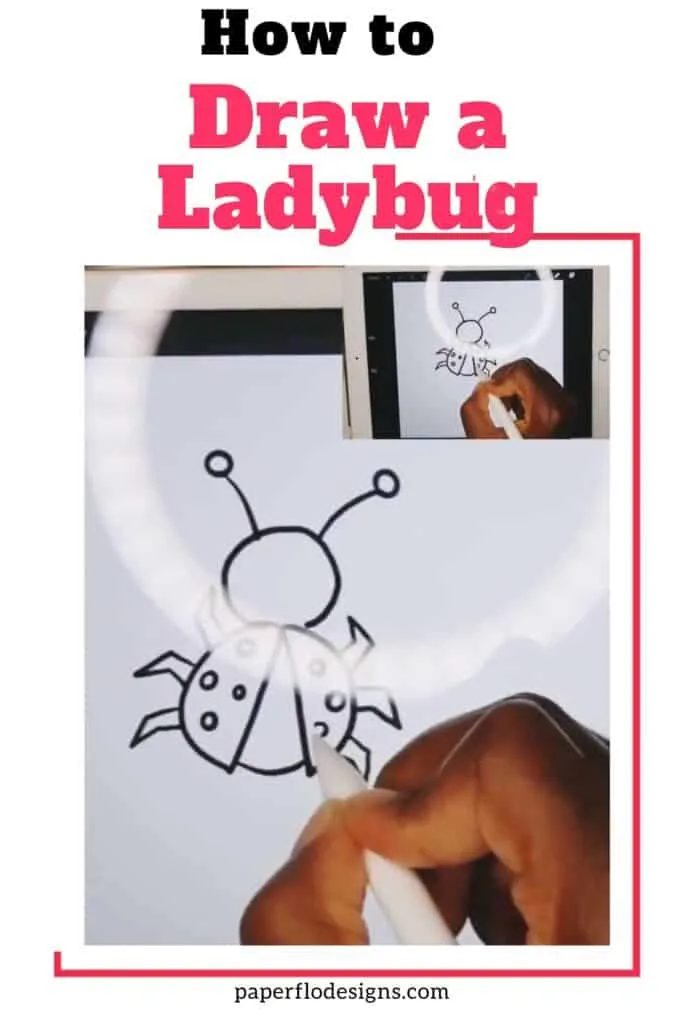
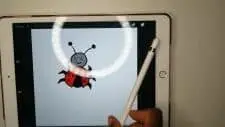
This short tutorial can be done by both digital and traditional methods. I like to use a digital drawing tablet or an iPad. You can also use a pencil and paper.
If you’re looking for a simple ladybug drawing, then this is a good place to start.
You can also print the instructions below.
Follow this tutorial and watch the video to learn how to draw a ladybug drawing.
WATCH HOW TO DRAW A LADYBUG intro video
The full video can be found down below
Different Ways to Draw a Ladybug
Of course, there are different ways to draw a ladybug. You can choose to draw a realistic ladybug or a cartoon version.
This tutorial will show you how to make a cartoon version that’s also easy enough for kids to draw.
Make a whole insect community by adding a butterfly and a caterpillar. You can get instructions to draw a really simple caterpillar in this other post and more instructions on how to draw a colorful butterfly in another post.
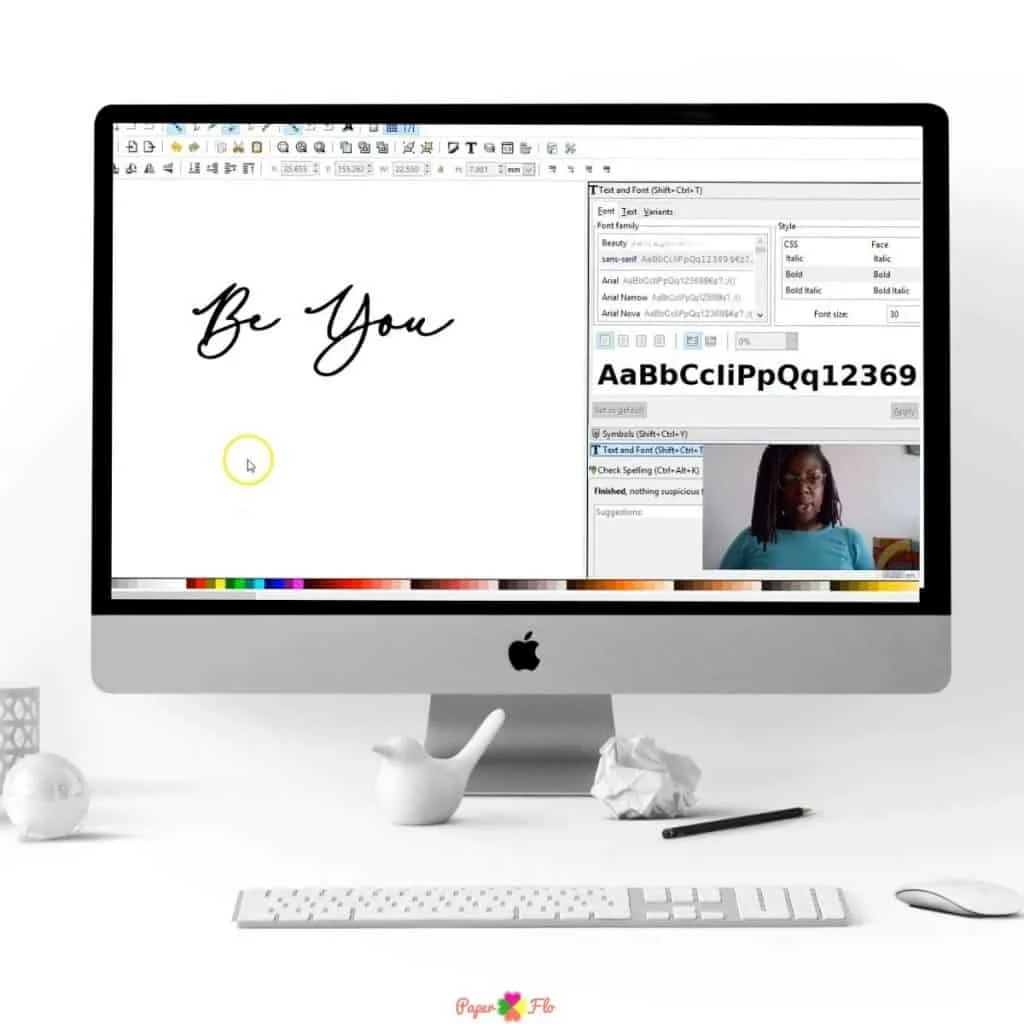
To personalize your drawing, you can add a name above or below the ladybug. Here are 3 ways to add text to your drawing.
For a step by step tutorial on how to do this in Inkscape, sign up for my So Simple SVG Quotes course.
How to Draw an Easy Ladybug
Let’s start by gathering your materials to draw the ladybug.
Drawing Supplies
Digital Drawing Supplies
Procreate
Paper Drawing Supplies
Art markers or Colored Pencils
Light Table for Tracing (optional)
I use Inkscape to make vector drawings because I like how precise you can get with vectors and the crisp quality.
Sometimes, I use a raster-based drawing app like Procreate just to change things up from time to time. I like the fact that I can use my iPad and I don’t have to sit at my computer with this setup.
To begin, I’ll open a new canvas in Procreate. I tend to use the default canvases that come with the program.
Now let’s get ready to draw. If you get lost along the way, remember that the steps are in the instruction sheet at the bottom of the post.
Draw a Ladybug Step by Step
For the first step, we’re going to make a small circle for the head. It doesn’t have to be perfect, but if you want a perfect circle, I have a trick for that.

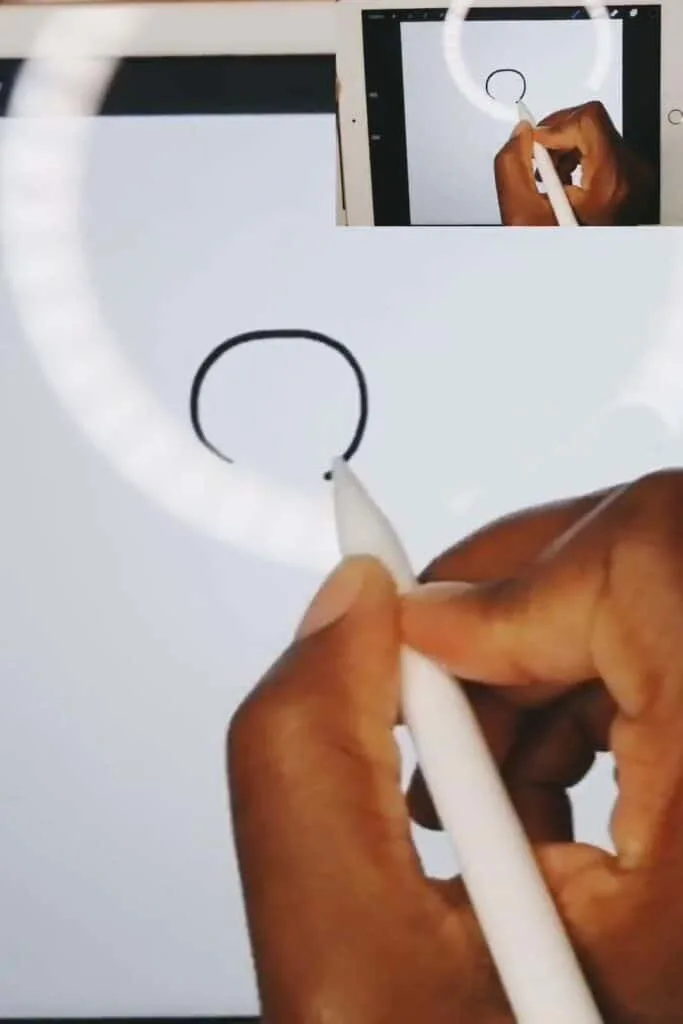
To get a perfectly round circle, just draw a loose-hand circle but keep the apple pencil down on the screen. Don’t lift it up. The circle that you drew will automatically turn into a perfect circle. Try it. It’s pretty amazing to see it the first time you do it.
Now draw a semicircle on the left and another on the right.
These are the wings of the ladybug.
See the picture below.

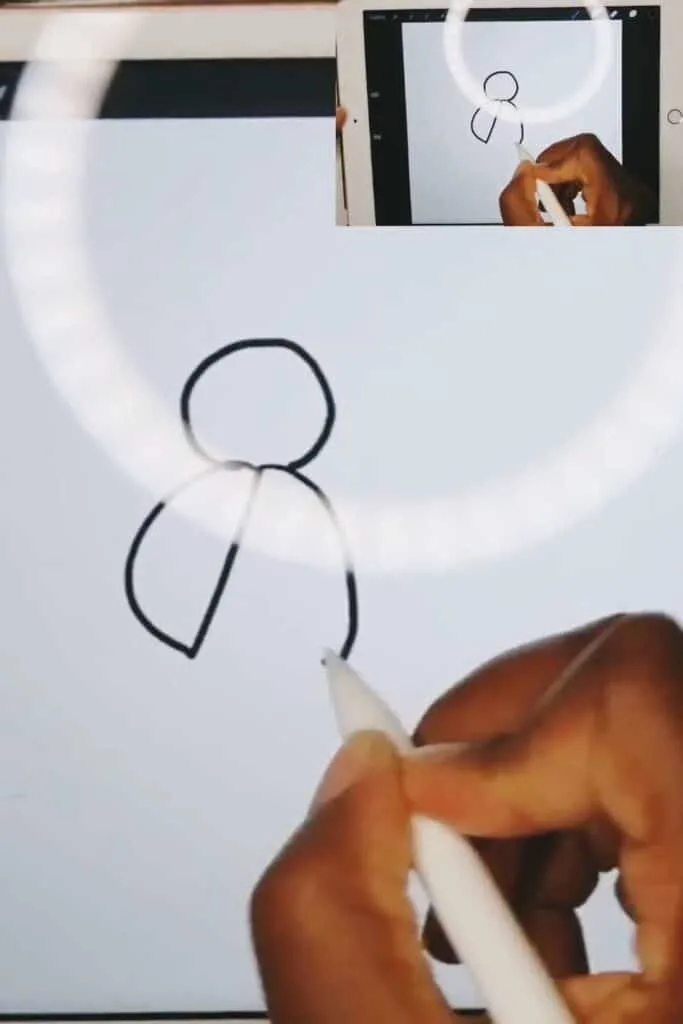
Next, draw a curved line from the bottom of the left wing to the bottom of the right wing to connect them.
Draw the Ladybug Legs
To draw the legs, I make a line out from the left wing and then continue that line in a downward diagonal motion.
To close the leg, I continue that same line going up and then back to the wing.

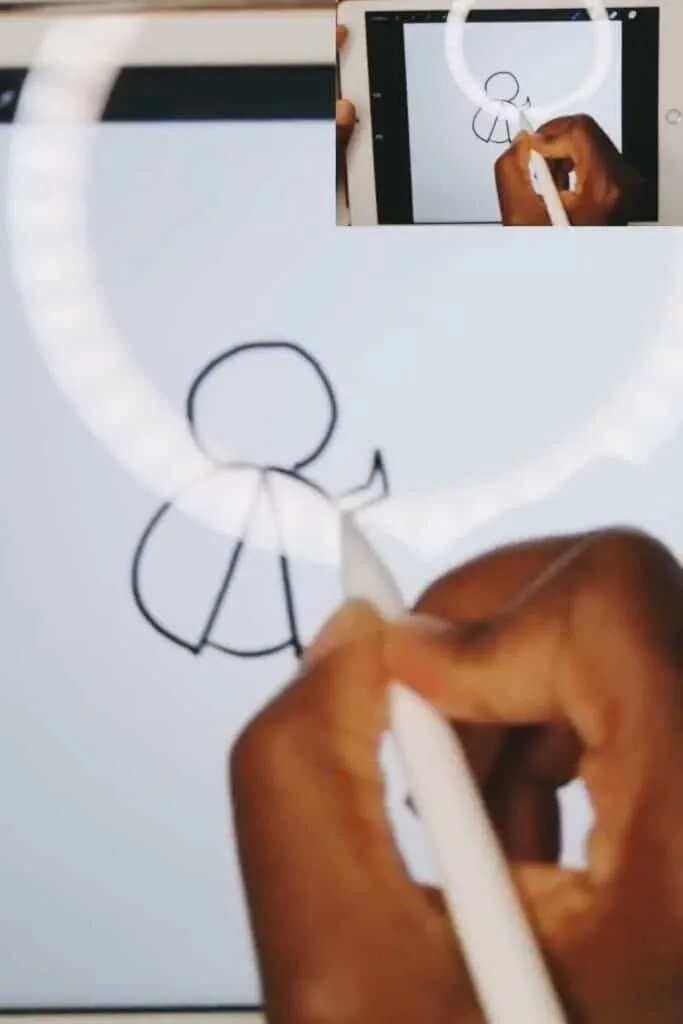
I repeat this step two more times on the left wing and then three times on the right wing.
How to Draw Details on the Ladybug
Now that you’ve made the legs, draw the antennae.
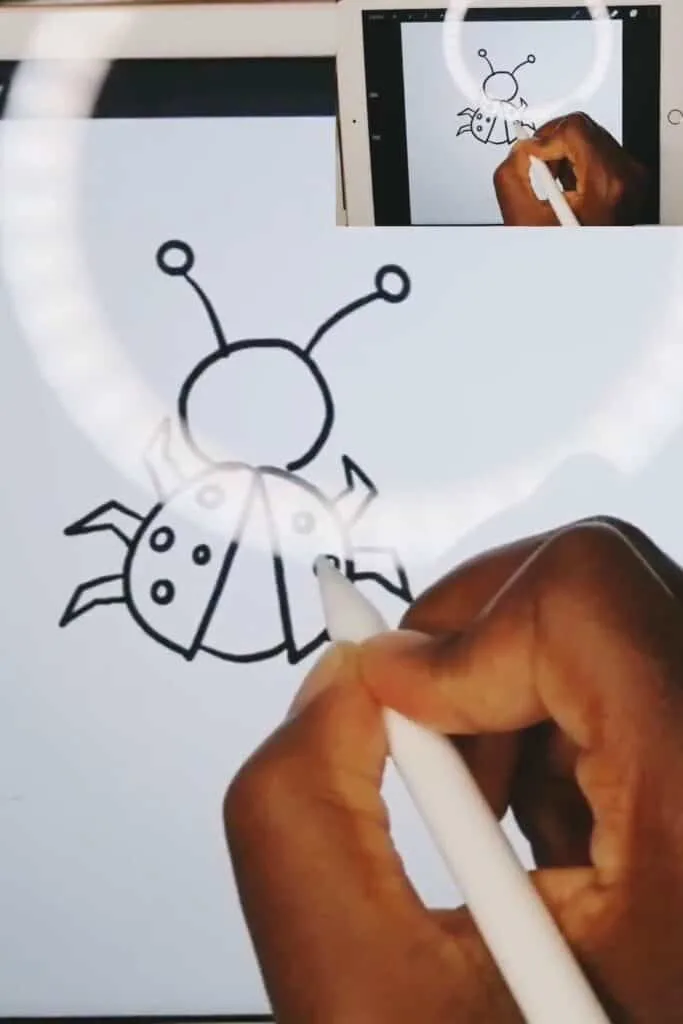
At the top of the head, draw two curved lines going in opposite directions, then draw a small circle on the tip of each of those lines.

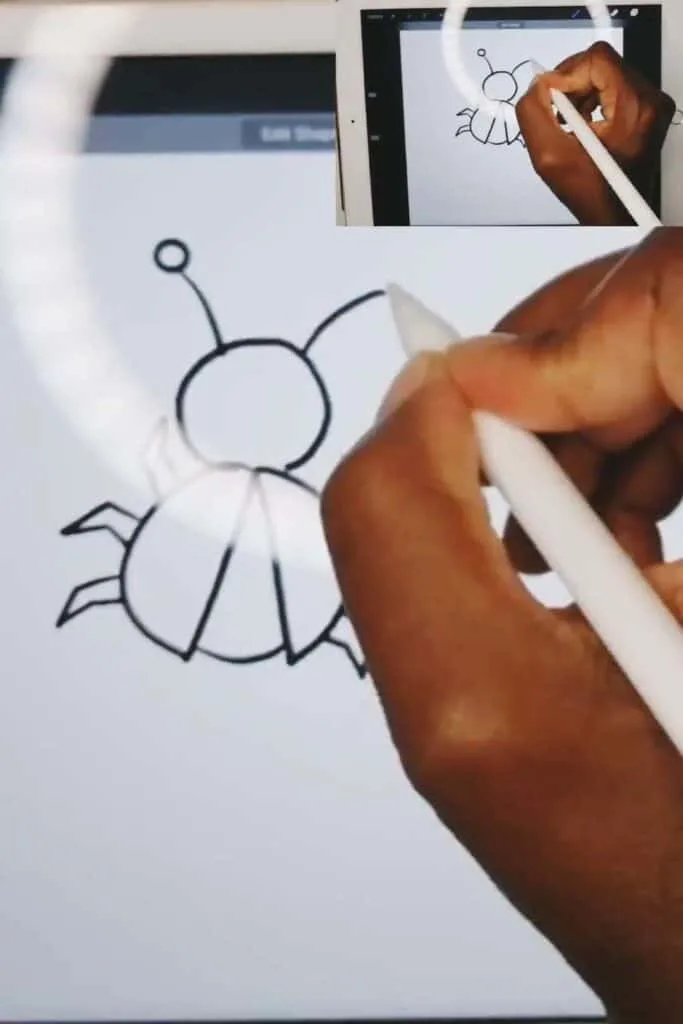
All that’s left to do is to draw the spots on each wing.
The ladybug drawing outline is complete and you can move on to coloring the outline.

Coloring the Ladybug Drawing
You’re ready to color your drawing of a ladybug.
To do this, you can use the fill bucket tool. Make sure that your areas are bounded (that means that they are closed with no gaps).
Next, click on a section of the ladybug to fill it with color.
Repeat this process to color in every section of the ladybug.
If you have gaps, you can use the different pencils to color in your drawing instead.
Your easy ladybug drawing is done. Ready to make more?!
If you liked this lesson, you’ll love my So Simple SVG Files course. I will walk you through the steps to make digital drawings using simple vector-based shapes in Inkscape. You’ll also learn how to transfer your drawings to your craft projects and get better use from your cutting machine.





Want more easy drawings for starter projects like this? Check out my collection of animal drawings.
Crafts to Make with a Ladybug
The nice thing about digital drawings is that you can upload them to a cutting machine and make print and cut designs for lots of craft projects.
Here are some crafts that you can make with your ladybug drawing:
- Ladybug t-shirt
- ladybug mug
- ladybug baskets
- Personalized ladybug tumblers

Find this t-shirt at Lavandair Crafts on Etsy

Find this ladybug wall decal set from Stephen Edward Graphic

Those are just a few ideas to get you started. Check out some of these ideas for easy crafts that you can try.
Imagine all of the crafts that you can make with the ladybug drawing. You can make lots of fun paper, fabric, leather or vinyl crafts.
If you have a Cricut or Silhouette machine and a heat press, you can make iron-on t-shirts. Of course, you can use scissors to cut out the ladybug but a cutting machine will make it even easier.
As you can see, you can take your drawing and put it on tons of physical crafts!
Have you ever wondered how you can turn your hobby into a money-making craft business? Check out my post on what I wish I knew before opening a shop on Etsy.
Make sure to save this to your favorite drawing board on Pinterest. Click the link below to save it for later.
Feel free to add a photo of your drawing to the pin so that I can see your cute ladybug.
How to Draw a Ladybug Easy Tutorial


Follow this tutorial to draw a ladybug. Ladybugs are cute colorful insects. In some countries, they are considered good luck.
Materials
- Digital Drawing Supplies
- Paper Drawing Supplies
Tools
- Digital Drawing Supplies
- Procreate software program
- Computer
- iPad (optional)
- Paper Drawing Supplies
- Drawing pencil
- Drawing Paper
- Art markers or Colored Pencils
- Light Table for Tracing (optional)
Instructions
- For the first step, we’re going to make a small circle for the head.

- Then draw a semicircle on the left and another on the right for the wings of the ladybug.

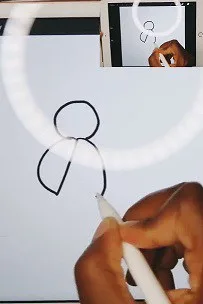
- Draw 3 legs on each side.

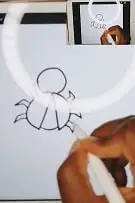
- Draw two lines on top of the head and add a circle at the top of each.

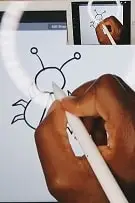
- Draw dots on each wing.

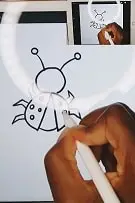
- Choose a color from the color wheel and drag and drop it to each section. You can also color it with crayons or markers or color pencils.

Notes
Color Tips
If you are making a digital drawing, make sure to close any gaps. This will make it easier to color the drawing using the color drop tool.
Recommended Products
As an Amazon Associate and member of other affiliate programs, I earn from qualifying purchases.
-
 Apple iPad
 -
 Apple Pencil
 -
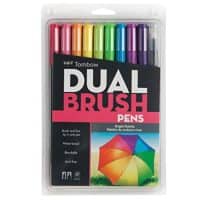
 Tombow Dual Brush Pen Art Markers (Bright)
 -
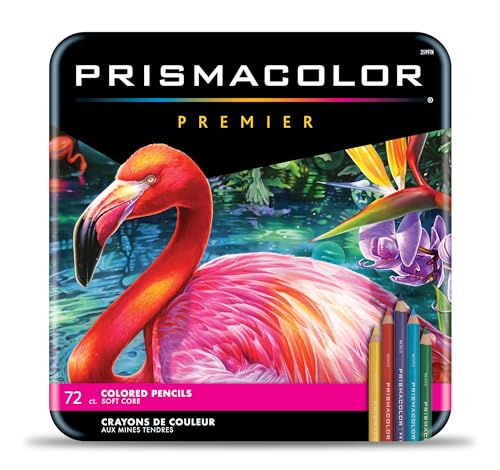 Prismacolor Premier Colored Pencils | Art Supplies for Drawing, Sketching, Adult Coloring | Soft Core Color Pencils, 72 Pack
 -

 Canson XL Series Mix Media Paper Pad,
 -

 So Simple SVG Files course
 -

 AmazonBasics Sketch and Drawing Art Pencil Kit - 17-Piece Set
 -

 Cricut EasyPress® 3 - 12 in x 10 in


How to Draw with a Graphic Tablet – Frequently Asked Questions
Explore common questions about drawing with a graphic tablet.
Frequently Asked Questions
Q1: What is a graphic tablet, and how does it work for drawing?
A1: A graphic tablet, also known as a drawing tablet or pen tablet, is a device that allows artists to draw directly on a computer screen. It typically consists of a stylus and a sensitive surface, enabling precise digital drawing and painting.
Q2: Can I use a graphic tablet if I’m a beginner in digital art?
A2: Yes, graphic tablets are suitable for artists of all skill levels. They offer a natural drawing experience and can be used by beginners and experienced artists alike. Practice will help you improve your digital art skills over time.
Q3: What software do I need to use with a graphic tablet for drawing?
A3: You can use various software options with a graphic tablet, such as Adobe Photoshop, Corel Painter, Clip Studio Paint, and many others. Choose the one that best suits your artistic preferences and needs.
Q4: How can I share my digital artwork created with a graphic tablet?
A4: You can share your digital artwork on social media, art platforms, or your personal website. Many artists also participate in online art communities to showcase their work and connect with other artists and art enthusiasts.
