
I was lucky enough to get a new MacBook Pro over Christmas, and I couldn’t wait to set it up for some Cricut crafting.
If you’re in the same boat and wondering how to get the Cricut Design Space on your Mac computer, you’re in the right place. Here are the deets!


I get commissions for purchases made through some of the links in this post. There is no extra cost to you. See my full disclosure here.
Step-by-Step Guide to Downloading Cricut Design Space
- Web Browser: Open your preferred web browser. I used Safari, but Chrome or any other browser should work similarly.
- Navigate to the Cricut Design Space website.
- Click on the “Download” button. Your internet connection will determine the speed of the download.
- Once the download is complete, locate the .dmg file in your downloads folder.
- Drag the Cricut Design Space icon to the applications folder.
- Double-click on the Cricut icon to open Cricut Design Space.
System Requirements
Before diving into your next DIY project, ensure your MacBook meets the following minimum requirements:
- macOS 10.12 Sierra or later
- Intel Core 2 Duo processor or better
- 4GB of RAM
- 2GB of available hard disk space
Troubleshooting Tips
If you encounter a white screen, a white page, or any other potential connection issue while trying to use the Cricut Design Space software, like a connection issue, here are some possible solutions:
- Make sure your Mac system meets the minimum requirements (see them above).
- Close other applications to free up RAM.
- Restart your MacBook.
- Uninstall and reinstall the Cricut app.
- Reach out to Cricut support for further assistance.


Cricut Machines Compatible with MacBook
All Cricut machines are compatible with MacBooks, thanks to the Cricut Design Space software.
This software, essential for controlling the machines, is available across various operating systems including Windows, macOS, iOS, and Android.
For mac users, this is good news because it gives you total creative freedom across the board.
List of Cricut Machines for MacBook Users:
- Cricut Explore Air 2: A versatile cutting machine perfect for a range of DIY projects.
- Cricut Maker: Known for its powerful cutting abilities, ideal for intricate designs.
- Cricut Joy: Compact and portable, this machine is perfect for quick and simple projects.
- Cricut Explore 3: An upgrade from the Explore Air 2, offering faster cutting speeds.
- Cricut Maker 3: The latest in the Maker series, boasting advanced cutting capabilities.
- Cricut Joy Bundle: A bundle package offering the Cricut Joy machine along with essential accessories.


Each of these machines has unique features and capabilities. Click on any of the machines above to check out their features. There’s a perfect fit for every crafting need.
For beginners, the Cricut Explore Air 2 and Cricut Joy come highly recommended due to their user-friendly interfaces and diverse feature sets.
Regardless of the machine you opt for, the possibilities are vast.
From crafting unique stickers, decals, and shapes to engraving on wood and leather, fabricating custom clothing, or even designing home decor, and display boxes for your gifts, the sky’s the limit!
Discovering Designs for Cricut Design Space
Finding the right design for your Cricut project can be both exciting and overwhelming because there are so many options available.
Here are some of the most popular places to paid and free images for Cricut Design Space:
1. Cricut Design Space
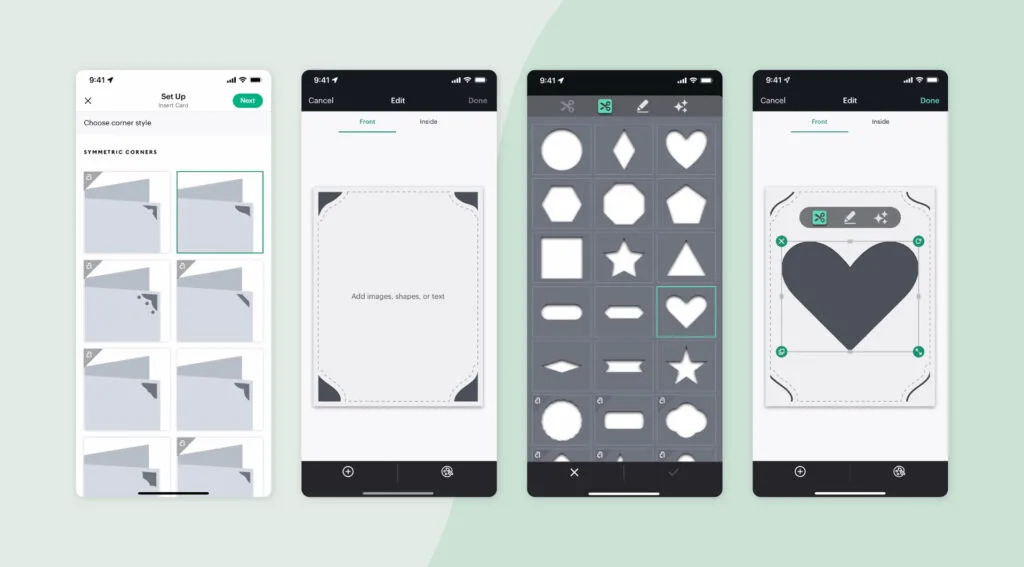
The official Cricut Design Space boasts a library with over 1 million images, fonts, and projects.
While many of these designs are free, some require a subscription to Cricut Access. It’s an ideal choice for those looking for official designs and a vast variety.

2. Creative Fabrica
A marketplace dedicated to digital design resources, Creative Fabrica offers SVG files, fonts, patterns, and more. It’s a treasure trove for Cricut enthusiasts, offering both free and premium options.


3. Etsy
Known for its handmade and vintage items, Etsy also has lots of digital design resources tailored for Cricut. From unique fonts to intricate designs, Etsy is a hub for creative minds.
4. Design Bundles
Another digital design marketplace, Design Bundles has tons of designs that will work on a Cricut machine. Whether you’re looking for freebies or premium designs, this site has got you covered.
5. Free SVGs
For those on a budget, several websites offer free SVG files.
A simple search on Google’s Chrome operating system or any other search engine will give you lots of results, with sites like Free SVGs leading the pack.
Factors to Consider: When selecting a design, keep in mind:
- The nature of your project.
- The design’s size and intricacy.
- Licensing terms associated with the design.
Check to see if the design is compatible with your Cricut cutting machine. Look for svg or png files.
Svg files are my personal favorite because you can resize them and they’ll still be easy to read and won’t get blurry.
Once you’ve made your choice, download the design, import it into Cricut Design Space, and customize it to your heart’s content before initiating the cutting process.
Conclusion
Getting the Cricut Design Space on your MacBook is a straightforward process. With the right system requirements and following the steps, you’ll be ready to make cool crafts right away.
Remember, the best thing about Cricut is the total creative freedom it offers, so start crafting!
And maybe you’ll get good enough to want to sell your crafts.


FAQs
Why won’t Cricut Design Space work on my Mac?
There could be various reasons, ranging from not meeting the minimum requirements to having software conflicts. Make sure you’ve followed the steps correctly and refer to the troubleshooting tips above.
Is my Mac too old for Cricut Design space?
Cricut Design Space requires macOS 10.12 Sierra or later. If your Mac doesn’t meet this requirement, it might be time for an upgrade.
