
Cricut Guru: ‘This Quick Fix Will Revamp Your Peeling Vinyl T-Shirt!’
Ever had that moment when you pull out your favorite t-shirt, only to find the vinyl peeling off?
Don’t worry, I’ve got your back! I’ll walk you through how to fix it in a couple of easy steps.


I get commissions for purchases made through some of the links in this post. There is no extra cost to you. See my full disclosure here.
Steps to Revive Your Peeling Vinyl T-Shirt
Here’s a simple guide to help you fix that pesky peeling vinyl on your t-shirt:
1. Check Your Heat Press Temperature
If it’s too low, the vinyl might not have melted into the fabric properly. Try increasing the temperature by 5°F to 10°F on your Autopress machine.
If you’re using the Cricut app, check out how to get the perfect temperature in the video below.
2. Repress the Vinyl
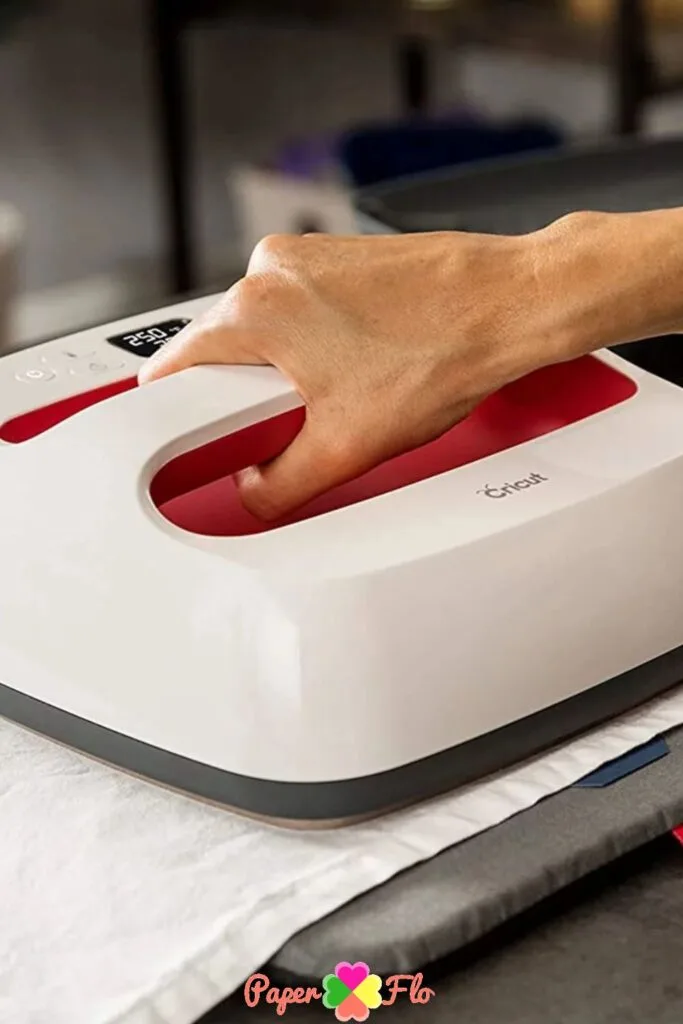
Grab some parchment paper or a Teflon sheet. Lightly pre-press the shirt to remove any moisture, place the paper over the vinyl, and give it a good press with a heat press or iron.
This can help the vinyl stick better to the fabric.


3. Iron Over the Peeling Transfer
Put a piece of paper on top of the peeling transfer and iron over it. This can help the vinyl re-stick to the fabric.

4. Try a Vinyl Patch
If the vinyl is still peeling after trying the above steps, try placing a very small piece of vinyl underneath the peeling area and then pressing it with an iron or better yet a heat press.
This can help the vinyl stick better to the fabric.
It’s also the perfect reason why you shouldn’t throw away your scraps. Keep them with your other organized craft supplies for times like this.
Keep Your Shirt from Peeling Again
Now that you’ve fixed your shirt, you’ll want to make sure it doesn’t peel again. To do this, turn the shirt inside out, wash it in cold water, and hang dry it.


Conclusion
With these handy tips, you don’t have to be scared of peeling vinyl on your t-shirt anymore.
Remember to check the temperature, and repress it with the right amount of pressure to get your shirt looking like new.
You’re now ready to tackle any t-shirt vinyl issues that come your way! Looking for new materials to try? Check out my post on how to better use glitter vinyl on t-shirts.
FAQs about Cricut Vinyl Peeling
Your Cricut vinyl might be peeling off due to a variety of reasons. The most common one is incorrect heat press temperature. If the temperature is too low, the vinyl might not stick properly to the fabric. Other factors could include the quality of the vinyl, the type of fabric, or even the washing and drying methods used.
The ideal temperature for your heat press can vary depending on the type of vinyl and fabric you’re using. However, a good starting point is usually around 320°F (160°C). If you notice your vinyl is not sticking, try increasing the temperature by 5°F to 10°F. Always remember to check the manufacturer’s instructions for the specific heat settings for your vinyl.
Preventing your vinyl from peeling in the future involves a few key steps. First, make sure you’re using the correct heat press temperature when applying the vinyl. Second, make sure to pre-press your shirt to remove any moisture before applying the vinyl. After application, wash your t-shirt inside out in cold water and hang it to dry. Avoid using a dryer because if the heat is too high, it can cause the vinyl to peel.
