
Ever tried to make your own cake toppers and wished you had the right font to make it pop? I’ve been there.
I made a Barbie cake for my daughter’s 5th birthday and wished I had these fonts to add her name instead of just sloppily writing it in gel icing.


I get commissions for purchases made through some of the links in this post. There is no extra cost to you. See my full disclosure here.
1. Brush Script
If you’re after a script font that’s both pretty and versatile, look no further than Brush Script. This font is a fantastic choice for a cake topper that’s simple yet stylish. It’s one of my favorite fonts for personal use.
Where to Find Brush Script
You can find Brush Script directly in Cricut Design Space. It’s a premium font, but its elegance and versatility make it a worthwhile addition to your font library.
How to Use Brush Script
Using Brush Script is a breeze. Just ungroup the individual letters, move them close together for stability, and then weld them. The finished cake topper will look effortlessly chic, making it perfect for any occasion.
2. Shamrock Regular
Looking for a font that’s a little more playful? Shamrock Regular is a great choice. It’s a fun font that’s perfect for birthday party cake toppers or even baby shower decorations.
Where to Find Shamrock Regular
You can find Shamrock Regular directly in Cricut Design Space. It’s a premium font, but its playful nature makes it a good choice for your Cricut projects.
How to Use Shamrock Regular
Just like with Brush Script, you’ll want to ungroup the letters, move them close together, and then weld them. This font is particularly good for thicker font designs, giving your cake topper a more robust look.
3. Cachet Pro Heavy
If you’re planning a superhero-themed cake, Cachet Pro Heavy is your go-to font. It’s bold and dynamic, making it one of the best Cricut fonts for such themes.
Where to Find Cachet Pro Heavy
You can find Cachet Pro Heavy directly in Cricut Design Space. It’s a premium font, but its boldness makes it worth the extra cost.
How to Use Cachet Pro Heavy
Ungroup the letters, move them close together, and then weld them. This font is particularly good for bold fonts, giving your cake topper a dynamic look.
Bonus Font: Bayloc
I know I said three fonts but I love giving more than expected. So, I’m adding a bonus font to the list. For a retro look, Bayloc is a great font. You can even add flowers to make it prettier, just like in the Pinterest pin below.
Where to Find Bayloc
You can find Bayloc directly in Cricut Design Space. It’s a premium font, but its retro look makes it a unique addition to your font library.
How to Use Bayloc
Ungroup the letters, move them close together, and then weld them. This font is particularly good for retro designs, giving your cake topper a unique look.
How to Use Fonts in Cricut Design Space
Using fonts in Cricut Design Space is pretty straightforward. Open Cricut Design Space software and start a new project. Click on the text box and type your desired text. From there, you can select your font from the list of fonts.
If you’re a Mac user then this is how to use Design Space on Mac.
Supplies You’ll Need
- Cricut machine (I recommend the Cricut Maker for best results)
- Card stock or glitter cardstock
- Cake topper stick (wooden skewers or wooden dowels work great)
- Hot glue gun
Additional Tips and Tricks
- Always remember to weld your letters together for stability.
- Adjust the width of your cake topper according to the size of your cake. For example, a 6-inch cake would work well with a 5.5-inch wide cake topper.
- Test cut a small piece of your material before doing the full cut to ensure the settings are correct.
Conclusion
Choosing the perfect font can truly elevate your DIY cake topper tutorial. Whether you’re going for thick font styles or thin fonts, system fonts or a new font, the options are endless.
And hey, if you’re celebrating a happy birthday or a wedding cake, the right font can make all the difference.
Now, let’s talk materials. From glitter cardstock to wooden dowels, different materials can offer unique finishes to the back of your cake topper.
If you’re a Cricut Access subscription holder, you’ll even have access to premium fonts at no additional cost—full disclosure, some of these are affiliate links, so I may earn a small commission at no extra cost to you.
Still feeling a bit stuck? Don’t worry. I’ve got video tutorials and easy ways to guide you through the tricky parts of using svg files.
And if you’re still facing challenges, especially with tasks like unwelding, I’ve got you covered. For more help, check out my post on tackling any issues unwelding in Cricut.
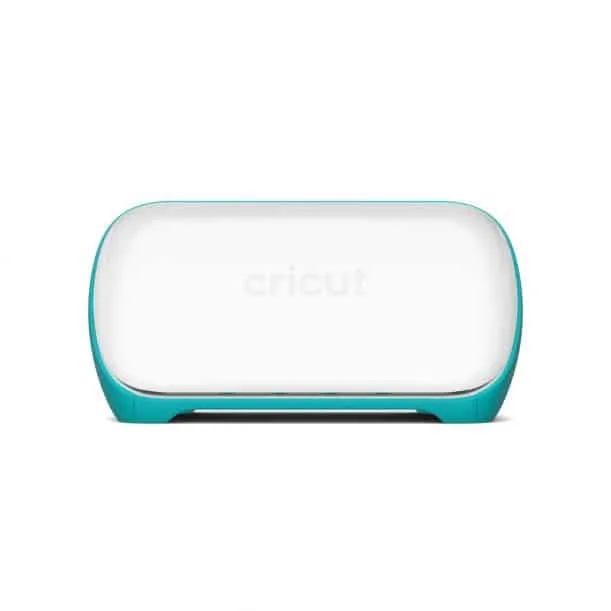
So go ahead, grab your Cricut Explore Air or Cricut Joy, and let’s make those custom cake toppers the talk of the party!

Frequently Asked Questions
- What width should your cake topper be for a 6-inch cake?
- For a 6-inch cake, aim for a cake topper width of around 5.5 inches.
- What setting do you put your Cricut in when cutting your cardstock?
- Use the regular cardstock setting on your Cricut machine for best results.
- How do you package your cake toppers for shipping?
- Package them in a sturdy box with bubble wrap or tissue paper for added protection.
- Do you put another cardstock on the back or leave it white?
- It’s up to you, but adding another layer of cardstock can provide extra stability.
- What (non-glitter) paper is perfect for cake toppers?
- Regular cardstock works well if you’re not a fan of glitter.
