
There are many reasons why your Cricut machine won’t cut your materials as well as you’d want – or at all.
First of all, how comfortable are you with using Design Space? Design Space is the software program that works with Cricut. You may just need to brush up on some basic steps to use Cricut Design Space.
Even if you’ve made lots of craft projects with a cutting machine, we all forget some simple steps from time to time.
If you’re still having trouble with your Cricut machine, here are some possible reasons it’s not cutting properly.


Your mat is dirty
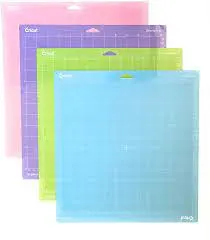
The Cricut mat holds your material down when you’re cutting, and they do get dirty after a while, which causes them to lose their stickiness.
If there’s too much debris and dirt on your mat, wash it, and it’ll be back to working well. You can also try this method to clean your Cricut mat.
Cleaning the mat should work otherwise you just might to replace your cutting mats with new ones.



It’s not the machine; it’s the font
If the images or the fonts you’re using are too tiny or too complex, they might not cut as you want them to. Did you weld the fonts before cutting them or unweld the design?
See my video below on how to weld fonts in Design Space.
If you think this may be the problem, try increasing or decreasing the fonts or the image size. You can also use your font in bold or cut out a part of the image.
Wrong material settings
Your machine settings need to match the material you’re working with. Check the custom materials list to ensure you have made the correct selection.
You’ve selected the wrong line type
If your machine is not reading the cut sensor marks, you have likely given it the wrong line type instructions from what you want to do.
Correctly set your line type to cut, print, draw, or emboss depending on what you want.
Your blade is dirty or dull
For a perfect cut, the Cricut blades must be both clean and sharp. If the blades are dirty, soak them in warm, soapy water and gently wash away the gunk. Sharpen the blades by stabbing or slicing through a heavy-duty aluminum foil.
If the blade is giving you less than crisp cuts, it’s time to change the blades.


Why won’t my Cricut cut through cardstock?
Sometimes, the Cricut machine drags instead of making cuts through your material, or it doesn’t seem to get the prompt to start cutting through the cardstock.
If this is happening, ensure you’re using the suitable material for that particular setting.
Your smart set dial allows you to select the exact material you’re working on to match the cutting.
Check the custom materials list to ensure you have made the correct selection.
Find lots of tips for using cardstock in this post that has 20 DIY card making ideas.


Low-quality material may also not cut well. Experiment with a few brands until you get the results you desire.
When the material is crumpled on the mat, it’ll not cut through nicely. To get a proper cut, the material should be lying flat on the mat.
If your Cricut machine isn’t making cuts the way you desire, straighten any kinks on the mat and try again.
Final tips to fix your Cricut
These pointers will help you identify the problem with your Cricut machine. If you have tried all the above and the machine still won’t cut, maybe the machine is faulty. Get a technician to take a peek, especially if it’s an old machine.
For new machines that still won’t resolve despite making all these changes, it may be time to pull out the warranty card and contact customer care.
Save these tips to your Cricut board on Pinterest. This way, you’ll have it handy when you need it.


nicola
Tuesday 19th of October 2021
hi iv tried all the things you said to do but still my machine is only cutting the left side of my image on cardstock even paper. iv changed the blade tried all different settings. would you be able to help? iv tried the customer services but i cant get through. iv seen other people experience this problem but dont have the solution.
Shalyce
Saturday 22nd of October 2022
@nicola, did you find a resolution? I’m currently having this problem
Naa Ardua
Tuesday 19th of October 2021
I'm not sure. Maybe try to reset it.